跨境独立站开店
Inventory and fulfillment | How to set shipping fees on Shopify
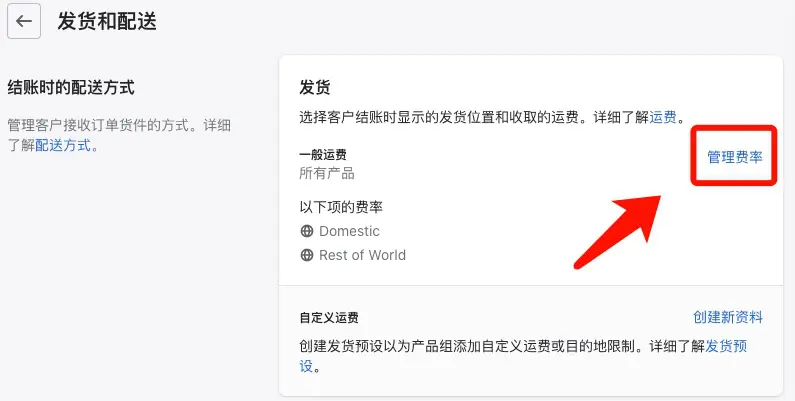
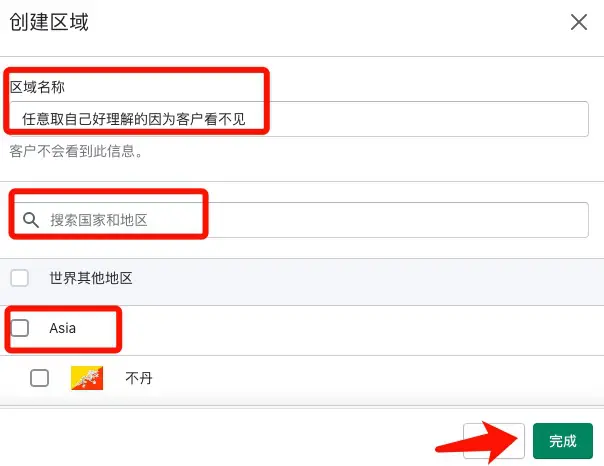
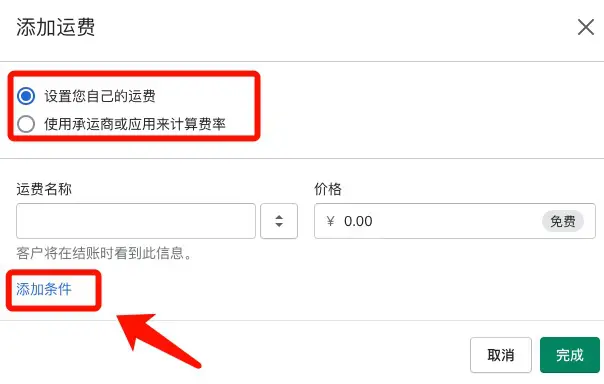
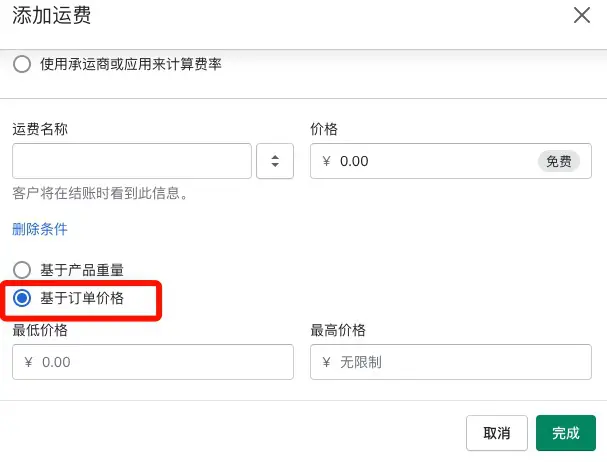
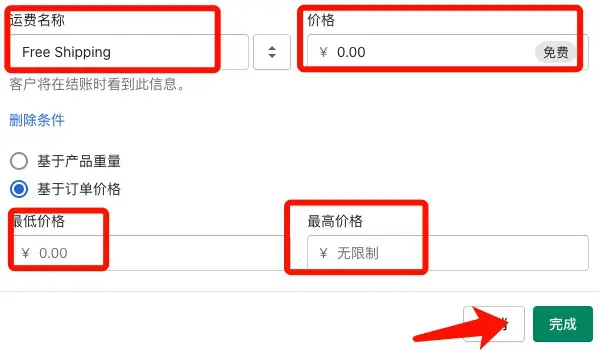
Before configuring shipping fees for your Shopify store, ensure that the currency unit is configured correctly in your Shopify store backend. In the Shopify store backend settings, find Shipping and Delivery, and add shipping regions and shipping settings step by step (including free shipping settings and shipping fees for orders over a certain amount). Shipping costs should be based on order price, not on product weight.
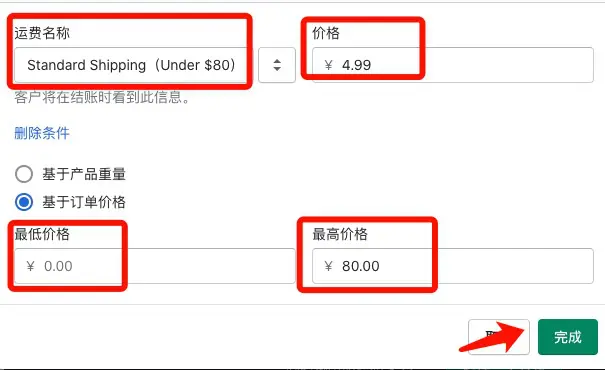
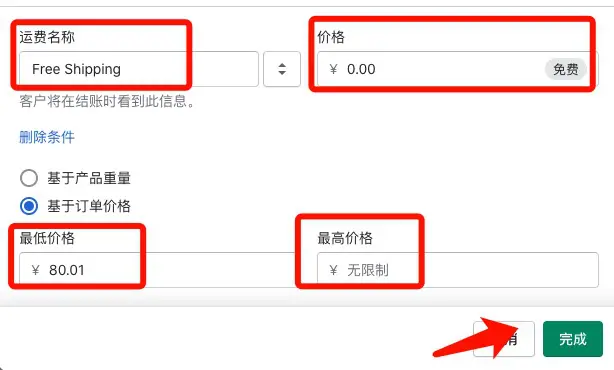
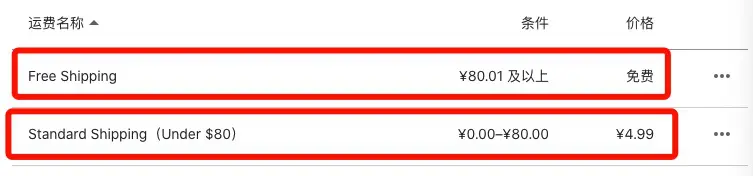
Check applicable conditions
The reason I'm writing this out separately is that I think this part is quite important for many beginners. Free shipping is not common in Chinese e-commerce markets, especially in Europe and America. Even large platforms like Amazon have rules about minimum order amounts for free shipping.
Key points of operation
Before configuring shipping fees, please ensure that the currency unit is configured correctly in your store's backend. Set it to USD if you primarily target the US market, and JPY if you primarily target the Japanese market, and so on. The specific configuration path is: "Settings" - "Store Details" - "Store Currency" at the bottom.
Preparations before execution
2024 Update: Before setting up [Shipping and Delivery], it's recommended to configure your [Markets] first. Add all countries except for one country in your primary market to your secondary markets. If you don't want customers in certain countries (like Japan), remove Japan from your shipping settings. Orders with shipping addresses in Japan do not have corresponding shipping methods and cannot be placed.