跨境独立站开店
Shopify Inventory Management by SKU and Location
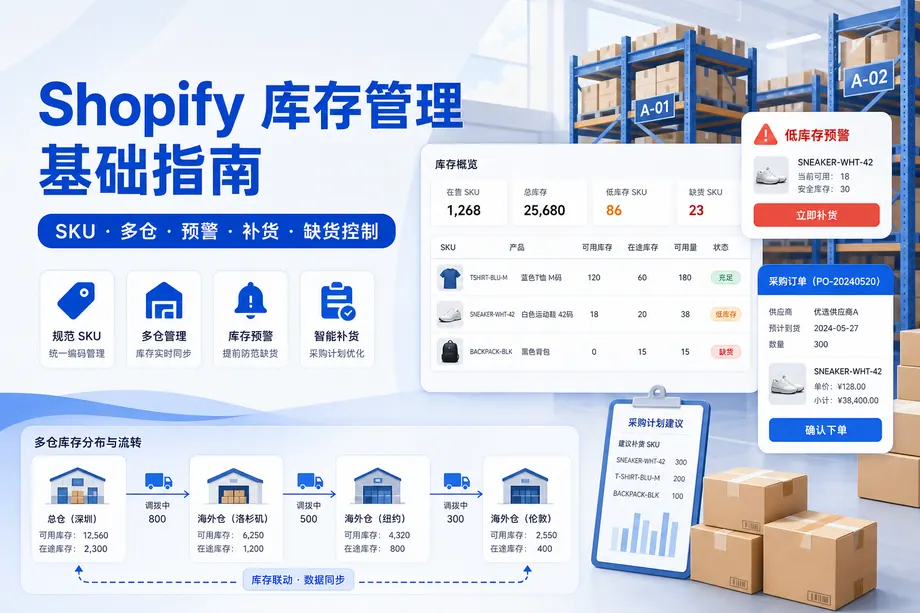
A product can look well stocked while its most popular size is sold out. Track quantities by variant and location, then use lead time and sales pace to set a reorder point.
First, determine the unique number based on the variant.
Create a stable SKU for each color and size combination that can be shipped independently. For example, a blue medium-sized top could be coded as T01-NAV-M, representing the style number, color, and size respectively. Create a coding table for use by purchasing, customer service, and the warehouse. Once the SKU number is entered into the order or warehousing system, do not change the SKU number to modify the product title.
Select Inventory Tracking and Out-of-Stock Behavior
For physical goods with limited quantities, tracking is enabled by variant. Available quantity indicates the quantity still available to the next buyer; committed quantity corresponds to existing orders; replenishment in transit has not yet been received. Different rules apply to digital delivery or make-to-order. If continued sales are permitted when out of stock, first determine the lead time and specify the estimated shipping time in the product page, shopping cart, and notifications.
Return the quantity to the location where it can be fulfilled.
Establish corresponding locations for the main warehouse, overseas warehouse, store, or third-party warehouse for actual receipt and shipment, and verify the allocation of each variation. A shortage in one location cannot be simply offset by the quantity in transit at another location. Record outgoing, in transit, and arriving goods separately for inter-warehouse transfers; returned items should undergo quality inspection first, and the warehouse's sellable quantity should only be restored after confirmation of their salability.
Set up replenishment points based on sales speed.
The replenishment trigger quantity can be estimated using the formula: "Average daily sales × Number of days required for delivery + Buffer quantity". For example, if a certain variant sells 6 units per day, takes 14 days from order placement to warehousing, and a buffer of 12 units is left, the trigger quantity is 96 units. This is a calculation example. Daily sales, procurement period, and buffer quantity should be recorded in our store's records and recalculated during peak seasons or when advertising is increased.
When out of stock, choose a method that can be explained to the customer.
| situation | Front-end processing | Backend follow-up |
| Short-term stockout, with a confirmed restocking plan. | Show out of stock or provide a notification when it arrives. | Follow up on procurement and delivery dates |
| Supply period is clear and customers are willing to wait. | Pre-orders accepted, please specify the estimated shipping time. | Separately identify pre-sale orders and batches |
| Production has ceased. | Describe the situation and provide a suitable alternative. | Stop the corresponding advertisement and review the old link. |
Create replenishment and inventory records
Weekly checks are conducted on SKU inventory, availability, in transit, and supplier delivery dates. Varieties with fast sales, slow replenishment, and potential fulfillment issues are prioritized, and designated personnel are responsible for procurement, receiving, and system entry. The frequency of random checks is increased for key products and easily mixed-up specifications; general categories are checked on a rotating basis.
Identify the differences and then adjust.
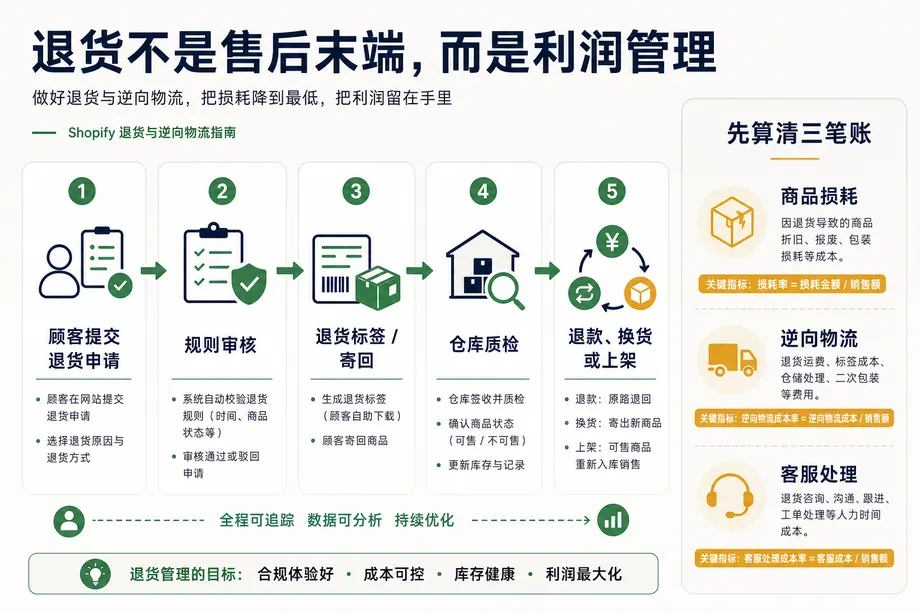
When discrepancies arise between the recorded and actual quantities, first trace back records of canceled orders, returned goods, inter-warehouse transfers, shortages, and losses, then adjust the quantities according to the cause. Simply changing the system total to the inventory total will lose clues for future troubleshooting. After adjustment, check if the front-end status, advertising entry point, and available shipping locations for that variant are consistent.