跨境独立站开店
ERP Inventory Management: Features, Benefits, and Implementation Methods
This article explains the functions and benefits of ERP inventory management. Understand the implementation process and key usage points to achieve efficient inventory management.

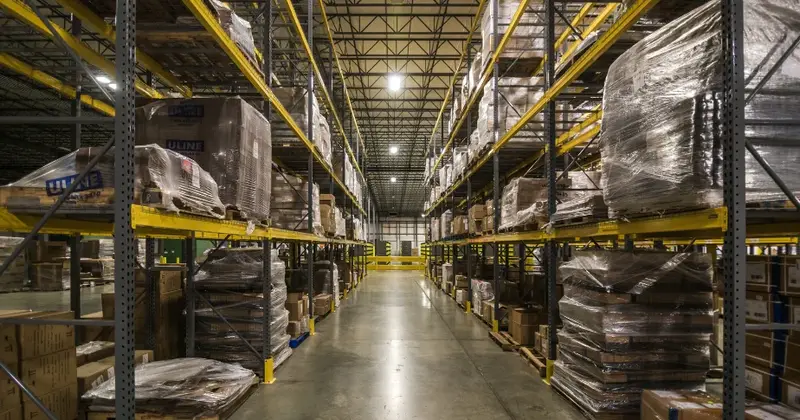


This article explains the basic functions and key points for utilizing ERP inventory management systems.
While technological advancements have made it possible to acquire diverse data related to inventory management, retailers face the challenge of identifying and accurately analyzing the necessary information from this vast amount of data.
ERP (Enterprise Resource Planning) systems can help solve these inventory management challenges. They allow for centralized management of inventory data along with other business data, and automate complex tasks, enabling more efficient and cost-effective store operations. Furthermore, they make it easier to understand inventory status in real time, which helps prevent stockouts and optimize inventory levels.
This article explains the functions, benefits, and usage methods of ERP inventory management. Understanding the benefits and operational flow will help you streamline your inventory management operations.
What is inventory management using ERP?
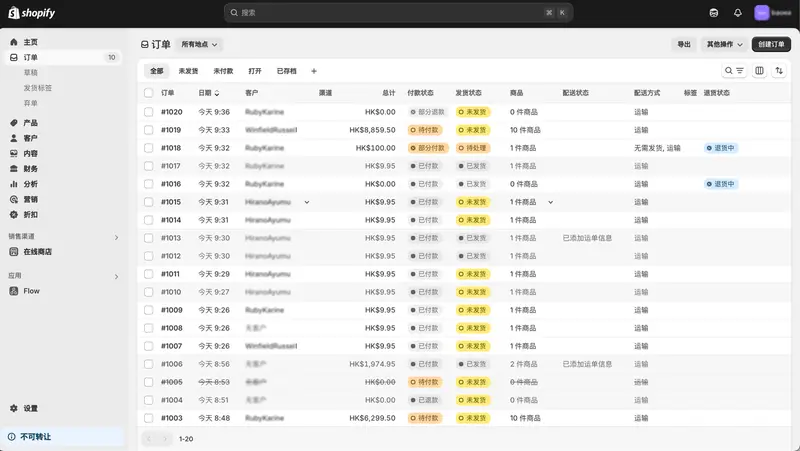
ERP-based inventory management involves retailers integrating multiple software programs, tools, and applications into a single system for inventory management. This allows for centralized management of inventory data, as well as the ability to manage supplier coordination, order processing, and related tasks all within the ERP system.
In the retail industry, many businesses manage inventory across multiple sales channels and locations, such as stores, e-commerce sites, and warehouses. When data is scattered across different systems, discrepancies in inventory levels and the need for verification can arise. By using ERP (Enterprise Resource Planning), data can be managed centrally, making it easier to grasp inventory and operational status in real time.
ERP-based inventory management system
ERP-based inventory management is a system that makes it easier to accurately understand inventory status and costs by centrally managing data from related operations such as accounting, logistics, and marketing in real time.
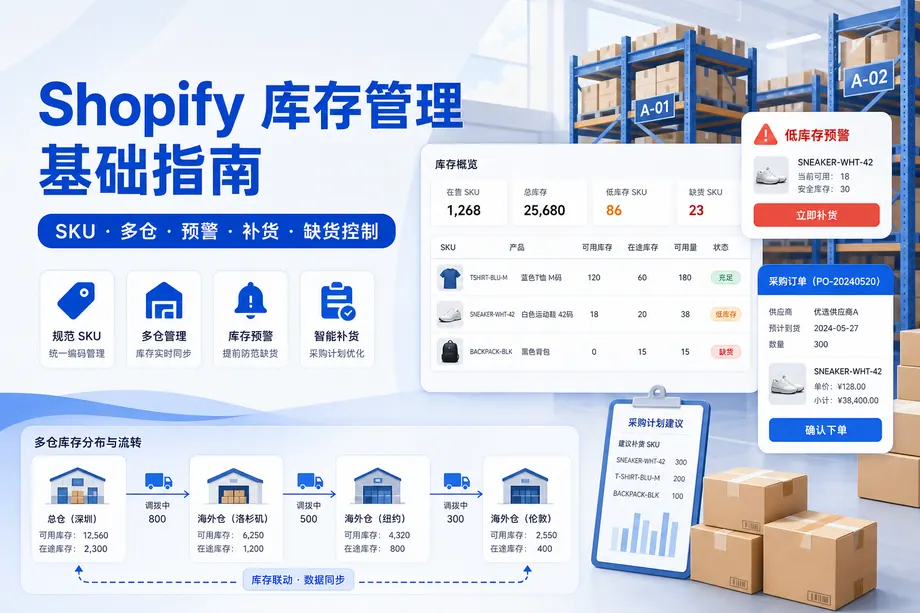
It centralizes everything from creating purchase orders (POs) for goods procurement, to receiving processes, updating inventory levels, managing quality status, and ultimately, handling procurement costs including transportation and customs duties. Furthermore, all inventory movements, such as receiving, inter-warehouse transfers, picking, inventory adjustments, and returns, are reflected in the inventory ledger in real time.
Each transaction is automatically reflected in the general ledger based on cost accounting methods such as the first-in, first-out (FIFO) method or the moving average method, allowing for accurate tracking of cost of goods sold (COGS) and inventory valuations by location. This reduces manual posting, helping to prevent accounting errors and inventory discrepancies.
What you can do with ERP inventory management
- Visualize real-time inventory status: Based on inventory levels, undelivered orders, safety stock levels, and allocated inventory (inventory whose shipment or use has been decided due to orders, etc.), we calculate the real-time available inventory (ATP).
- Automation of planning and replenishment: By integrating with planning systems such as MRP (Material Requirements Planning) and MPS (Master Production System), ordering, inventory replenishment, and work instructions can be automated based on demand forecasts and order data.
- Warehouse Operations Management: Integrating with a WMS (Warehouse Management System), it manages warehouse operations from picking and packing to shipping, inventory, and location management. Even when operating multiple warehouses, it allows for centralized management of inventory status at each location.
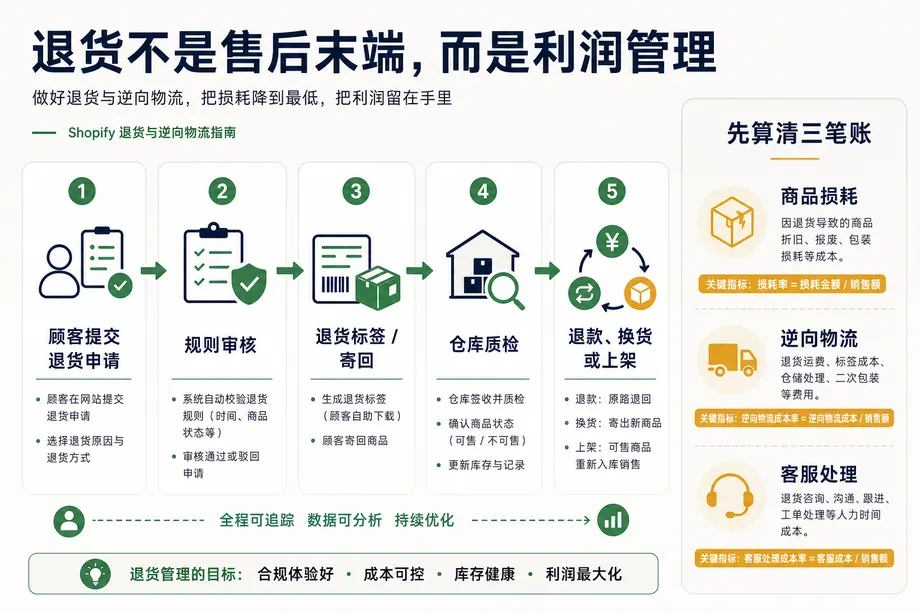
- Returns and Compliance Management: Manage the entire returns process, including defining the processing category for returned goods (resale, repair, disposal, etc.) and handling necessary accounting procedures such as refunds and inventory write-downs.
- Division of roles with e-commerce platforms: ERP functions as a core backend system that manages financial and operational data, while e-commerce platforms like Shopify are responsible for order processing, customer information, promotion management, and shipping flow management.
- Scalability to match business growth: Even if the number of supported regions, SKUs, and warehouse locations increases, you can expand while maintaining the same system.
Benefits of ERP inventory management
- Improved inventory accuracy: Real-time inventory levels allow for quick responses to additional orders and replenishment. One study (in English) showed a reduction in stockout rates from 12% to 7%. Managing inventory with ERP allows for ordering plans that consider storage costs and replenishment lead times, leading to improved stockout rates and the maintenance of optimal inventory levels.
- It streamlines operations: In addition to streamlining inventory counts and manual inventory checks at each warehouse and storage location, it reduces the need for data reconciliation across multiple systems.
- Cost reduction and improved ROI, leading to increased productivity: While ERP systems require initial investment, they offer long-term cost savings through automation and streamlined operations, reducing labor costs and operational burdens. According to a 2024 Forrester Consulting survey, companies using Microsoft systems achieved a return on investment (ROI) of 106%.
- Visualize your entire supply chain: Manage shipping status, supplier contracts, inventory records, receipts, and more, all in one system.
- Data-driven decision-making becomes easier: By utilizing real-time data from an inventory management system (IMS), inventory analysis and business process improvement become more efficient.
- Flexible response to business expansion: By utilizing cloud-based ERP (ERP accessed via the internet), it becomes easier to manage inventory as the business expands, such as by operating multiple warehouses or multiple stores.
Key functions of the ERP inventory management system
- Supply chain management
- Automation function
- Analysis and reporting features
- Accounting Management
- Customer Relationship Management (CRM)
- warehouse management
- Barcode and scanning function
It's crucial to have a grasp of the entire supply chain, from ordering and receiving goods to shipping and sales, not just managing inventory levels and storage locations.
When choosing an ERP inventory management system, check if it can integrate with other supply chain-related tools. For example, this could include integration with supplier management systems (SRM systems), shipping tracking tools, and electronic signature applications.
By automating ordering and inventory checks that were previously done manually, it becomes possible to reduce workload and costs.
For example, if the inventory level of a specific SKU falls below safety stock in the inventory management system, the ERP system automatically creates a purchase order and places the order with the supplier on behalf of the person in charge.
In the retail industry, it's common to sell products through multiple channels, such as physical stores, e-commerce sites, and social media shops. By implementing an ERP inventory management system, inventory information from each channel can be linked in real time.
For example, if an item sells out in a physical store, the e-commerce site can automatically update to show as out of stock. It's also possible to receive notifications for additional orders when the stock level falls below a certain amount.
By integrating your ERP system with your accounting system, you can manage data such as purchases, sales, cost of goods sold, and inventory valuation in one place. This makes it easier to understand the information needed for balance sheets and tax filings, and also streamlines inventory adjustments and cost management. Because you can visualize the flow of money and inventory, you can operate your business in compliance with laws and regulations.
CRM (Customer Relationship Management) software allows you to manage customer information such as purchase history and inquiry history. By integrating ERP and CRM, you can check inventory and delivery status all in one place when dealing with customers. For example, when dealing with delivery delays or suggesting alternative products, you can respond smoothly while checking inventory on the ERP.
ERP systems allow you to manage warehouse operations such as inventory management, picking, and packing all in one place. This makes it easier to track inventory locations and quantities, and helps in identifying stockout risks. Even if you use a 3PL (third-party logistics) company, integrating with an ERP system makes it easier to understand your inventory status.
By utilizing a barcode system, you eliminate the need to manually check or input inventory levels, allowing you to access inventory information and product data using handheld scanners or mobile devices. When choosing an ERP system, be sure to check if it can integrate with your existing barcode system and reflect inventory data in real time from receiving to sales.
Points to check before implementing an ERP system
When implementing an ERP system, it's crucial to clarify your company's challenges and required functions beforehand. In particular, consider the following points:
- Clarify the purpose of implementation: Organize the business processes you want to improve and your company's requirements, such as reducing inventory discrepancies, consolidating inventory across multiple stores, and streamlining order processing.
- Organize current operations: Before implementing an ERP system, it's crucial to organize current workflows and eliminate redundant tasks. Compare the current situation (As Is) with the ideal workflow (To Be) to create a clear picture of how the ERP system will function after implementation.
- Check for integration with existing systems: Verify whether it can integrate with e-commerce platforms, POS systems, warehouse management systems, accounting software, etc.
- Avoid excessive customization: By adopting a "Fit to Standard" approach, where business processes are adapted to standard ERP functions rather than company requirements, implementation costs and operational burdens can be easily reduced.
- Check future scalability: Make sure you can accommodate business expansion, such as an increase in the number of SKUs, warehouse locations, and sales channels.
How to implement an ERP inventory management system
- Organize your company's requirements.
- Select the right ERP partner.
- Plan data migration
- We will implement changes to internal operations and team training.
- Operation was initiated and the effects were measured.
1. Clarify your company's requirements.
When implementing an ERP system, the first step is to clarify business objectives and operations, and define the implementation policy. Work with the ERP vendor to review current workflows and identify necessary functions and areas for improvement.
Through this process, you can organize project goals, system integration policies, necessary tools, and responsibilities.
2. Select an appropriate ERP partner.
When implementing an ERP system, choosing the right partner to support the implementation is crucial. Make sure they have a proven track record in the industry and can handle aspects such as data migration, operational changes, and post-implementation support that align with your company's implementation plan.
3. Plan the data migration.
Data migration is a particularly important step in ERP implementation. Organize master data such as products and customers, and operational data such as orders and inventory, and check for duplicates and missing information.
It is also important to use the standard ERP migration tools and conduct a rehearsal before the migration. After the migration, verify that the data in the old and new systems matches.
4. Implement changes to internal procedures and team training.
Implementing an ERP system is not the only important step; ensuring its adoption within the company is also crucial. Conduct appropriate training and development programs tailored to each role, such as store staff and accounting personnel.
Furthermore, because cloud ERP systems undergo regular feature updates, continuous training is necessary even after implementation. It is important to regularly share new features and changes and review operational rules.
5. Commence operations and measure their effectiveness.
After the system goes live, an initial operational period of approximately 30 to 90 days will be established to continuously monitor the system status and usage.
After implementation, it is important to measure key metrics such as inventory accuracy, order processing time, shipping rate, and inventory days, and make improvements as needed.
Challenges of ERP inventory management
While ERP systems can enable efficient inventory management, they also present the following challenges:
- System complexity: ERP systems are often designed for large corporations, making implementation and operation difficult for small and medium-sized enterprises (SMEs) that lack dedicated IT staff.
- Implementation and Integration Costs: While ERP systems are highly customizable, additional costs may be incurred for each application or software they integrate with. As a result, the total cost may sometimes exceed the usage fee for the ERP system itself.
- Security Risks: When integrating ERP with other systems, security measures during data exchange are crucial. Appropriate encryption and secure connections are required.
- Dependence on external systems: ERP systems are often operated on the premise of integration with other systems, so if integration services are discontinued or specifications change, it may be necessary to switch to a different system.
Characteristics of companies where ERP inventory management is particularly effective
ERP inventory management is particularly effective for companies facing the following challenges:
- Data management errors between departments: When different systems are used for accounting, sales, production, etc., duplicate data entry and verification work are more likely to occur.
- To prevent reliance on specific individuals for tasks: In companies where inventory management or order processing depends on specific individuals, handover and information sharing can become challenges. Implementing an ERP system makes it easier to operate tasks using common rules.
- Want to quickly grasp your business situation? If you're currently managing business data such as sales and inventory levels using multiple systems or Excel spreadsheets, implementing ERP-based inventory management will allow you to quickly access the latest data and make speedy business decisions.
- Want to prepare for an IPO or strengthen internal controls? Because system logs are recorded by each worker, it is possible to strengthen fraud prevention, internal controls, and audit compliance for companies aiming for an IPO or sound corporate management.
- Planning business expansion or overseas expansion: If you are planning to expand to multiple stores, operate multiple locations, or expand overseas, it will be easier to manage data from each location in an integrated manner, making it easier to respond to the expansion of your business scale.
Integrate your ERP inventory management system with Shopify.
If you are considering inventory management using an ERP system, you can utilize Shopify's global ERP program (individual apps are not available in Japanese) or external integration services. By integrating with major ERP systems such as NetSuite and Microsoft Dynamics 365 using dedicated integration tools, you can automatically synchronize inventory and store data between the Shopify admin panel and the ERP system.
Additionally, you can use iPaaS (Integration Platform as a Service) to integrate and synchronize data between Shopify and external systems. For more flexible operations, you can also build custom integrations using APIs.
ERP inventory management is characterized by its ability to centrally manage not only inventory information but also data from the entire business, including accounting, logistics, and CRM. Real-time inventory visualization and automated ordering help prevent stockouts, improve operational efficiency, and reduce costs. Furthermore, it can be integrated with warehouse management systems, order management systems, e-commerce platforms, and accounting systems, making it easier to support multi-channel sales.
Furthermore, it becomes easier to maintain optimal inventory levels based on demand forecasts and sales data analysis, and it also helps reduce inventory discrepancies and human errors. Even when operating multiple warehouses or stores, it becomes easier to share inventory information in real time, leading to more efficient inventory checks and order processing.
On the other hand, implementation involves implementation costs and operational burdens, so it is important to select an appropriate ERP system and implementation partner after clarifying your company's business scale and required functions.
Frequently Asked Questions about ERP Inventory Management
What is ERP?
ERP, also known as "integrated core business system" in Japanese, is a system that centrally manages a company's core business operations, including accounting, sales, inventory, logistics, and human resources.
Integrating data that tends to be scattered across different departments helps with information sharing, operational efficiency, and real-time management decision-making. In recent years, ERP products, including CRM, have become more common and are being implemented according to the size and nature of the company's operations.
What are the differences between ERP and other inventory management systems?
Both can be used for inventory management, but the difference is that ERP systems can be integrated not only with inventory management but also with other business systems, such as accounting.
How does ERP inventory management help optimize inventory?
ERP helps reduce excess inventory by maintaining optimal inventory levels. Because it optimizes replenishment of necessary products based on demand forecasts, it reduces the risk of holding too much inventory or accumulating unsold stock.
What are some typical ERP systems?
- NetSuite: A cloud-based ERP system that allows for centralized management of accounting, inventory management, CRM, supply chain management, and more. It is frequently adopted by mid-sized to growing companies, and Japanese language support and localization for the Japanese market are progressing.
- Microsoft Dynamics 365: A cloud-based ERP system for small and medium-sized businesses. It provides integrated management of finance, sales, inventory, purchasing, and more, and boasts strong integration with Microsoft products such as Excel and Teams.
- Infor is an ERP system with a strong focus on features for the manufacturing and logistics industries. It offers many industry-specific solutions and supports supply chain management and production management.
- SAP Business One is an ERP system for small and medium-sized businesses that allows for centralized management of business operations such as accounting, sales, inventory, purchasing, and customer relationship management. It also supports inventory management, order management, and financial management.
What are the costs of implementing an ERP system?
The cost of an ERP system varies greatly depending on the scale of implementation and the number of integrated systems. For example, Microsoft Dynamics 365 has a monthly license fee of around 10,000 yen per user. Implementation costs such as initial setup, data migration, Shopify integration, and customization are generally quoted on a case-by-case basis. Depending on the scale of implementation, initial costs can reach several million yen.
In addition to ERP usage fees, there may be other costs such as integration tool fees, implementation support fees, and additional development fees.
Share this article
- Share on Facebook
- Share on X
- Share on LinkedIn