跨境独立站开店
2025 update archive | Setting up automation with Shopify Flow is now easier, safer, and smarter.
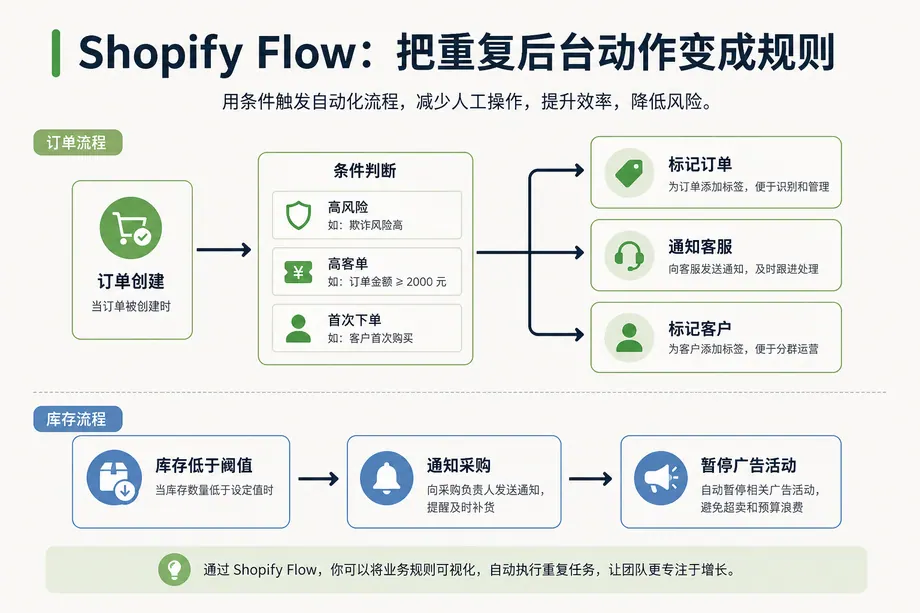
This article summarizes the new automation features of Shopify Flow. We'll show you how setup and management have been streamlined, including workflow creation with Sidekick, pre-execution previews, and execution cancellation in case of errors.

How to create a workflow with Sidekick
Shopify Flow now lets you create workflows by giving natural language instructions to Sidekick, Shopify's official AI assistant. You can review the generated workflow in the workflow editor and modify it as needed.
How to edit settings in the workflow editor
The Shopify Flow workflow editor makes it easier to understand the structure of your workflow by visually seeing the connections between triggers, conditions, and actions. The new workflow editor allows you to organize your workflows vertically, improving visibility.
How to test workflows before activation
The new testing feature in Shopify Flow allows you to verify that your logic works correctly using real store data or simulated data before activating your workflow.
How to cancel workflow execution
This update allows you to cancel a running workflow midway through. Workflows can be canceled individually or in batches.