跨境独立站开店
Search optimization | YouTube SEO Strategies
Implementing YouTube SEO strategies can improve your video's search engine ranking and increase its visibility. Let's learn about SEO techniques to get your YouTube videos to rank higher.


Implementing YouTube SEO strategies can improve your video's search engine ranking and increase its visibility. Let's learn about SEO techniques to get your YouTube videos to rank higher.
There are over 800 billion videos on YouTube. Standing out is difficult, but by utilizing YouTube-specific SEO strategies, you can increase the visibility of your videos, increase their appearance in search results, attract more viewers, and help YouTube understand the content of your videos.
To achieve ideal results, it's crucial to plan your SEO strategy for YouTube before pressing the record button.
By optimizing your videos from the start using keyword planning, you can create video content that people are searching for. This foundation will allow you to acquire relevant, targeted traffic for months to years.
By choosing the right keywords and using them in the right place and at the right time, you can expand and improve your YouTube channel, views, and engagement.
What is YouTube SEO, and why is it important?
YouTube SEO is the process of optimizing videos through keyword analysis to ensure that video content appears in relevant search results. By optimizing for specific, high-target keywords, we help expand reach and promote organic growth.
For example, if the video is about "best cooking pans," we'll make it easy for people searching for that phrase to find it.
YouTube is the largest video platform and is often used as a search engine alongside Google. Because video is a preferred content format for many consumers, an increase in viewership leads to improved brand engagement, trust, and loyalty.
YouTube SEO Strategies: Creating a Keyword Plan
Keyword planning is the foundation for a profitable YouTube channel. It helps you create content that people are looking for and get a good ranking in YouTube search results.
To begin your overall content strategy, identify a theme or potential topic, then narrow it down to individual video ideas and find relevant keywords.
First, create a list of the ideas you've found. For example, if you've identified "dog clothes" as one of your main themes, jot down all the video ideas you could create based on that theme.
This might include things like "How to style your dog" or "The best dogs' onesies."
The following are other ways to find related keywords.
- Use keyword analysis tools to find high-volume keywords that are relevant to your topic (details below).
- Research your competitors and find keywords that other similar videos are optimizing for.
- Check YouTube's autocomplete feature to find long-tail keywords related to your selected topic.
9 SEO Strategies for YouTube
Once you've finalized your keyword plan, use the following YouTube SEO tips to optimize your videos.
1. Naturally insert keywords into the video title.
Including keywords naturally in your title effectively communicates the video's content to both viewers and YouTube. To maximize YouTube's search engine optimization, place keywords at the beginning of your title and keep it long enough to avoid keyword stuffing.
2. Rename the video file to include the keyword.
It's easy to upload images with filenames like IMG_231, but this is a good opportunity to make the content of your video clearer to YouTube. It's simple, but changing the filename to include keywords can improve your video's SEO.
Hint: You can also use dashes or underscores to separate words.
3. Use key keywords in the description box of your YouTube videos.
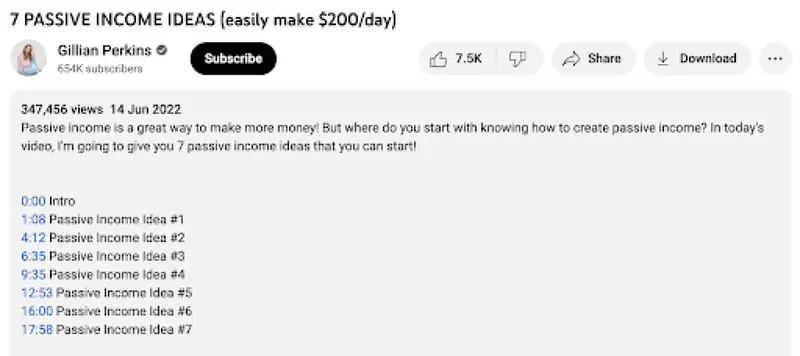
The description box of a YouTube video is an important space to delve deeper into the topic, briefly introduce the video's content, and strategically insert keywords.
Just like with video titles, it's important to include keywords at the beginning of the description and use them naturally and seamlessly. This helps to convey the video's theme to both YouTube and the viewer.
Hint: Include keywords within the first 100 characters, make the description at least 750 characters long, and naturally insert keywords 2-3 times.
4. Tag your YouTube videos.
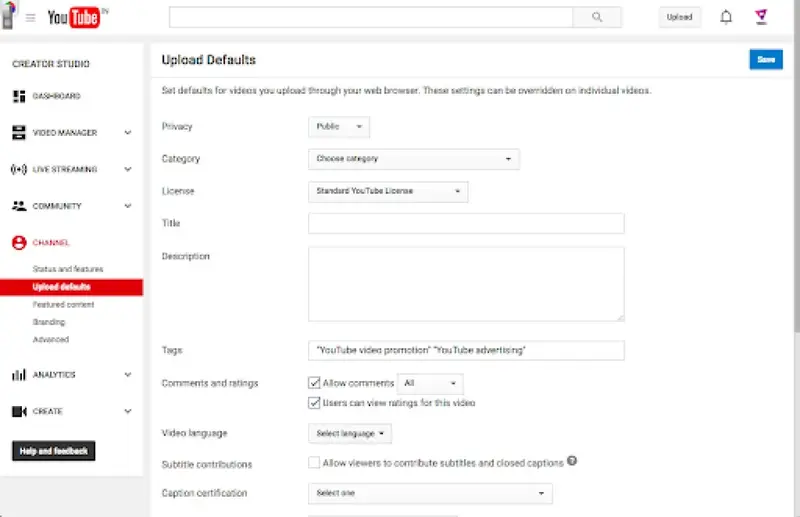
Tags are used on YouTube to describe the content of a video. They are a list of relevant keywords that describe the video content, making it easier for people searching for these terms to find the video.
Look at the tags other channels are using to describe similar YouTube videos for inspiration.
5. Encourage viewers to watch the entire video.
YouTube prefers users to stay on the site for a long time. In fact, watch time is one of the platform's key metrics, and YouTube has stated that it prioritizes displaying videos with longer watch times in search results.
Increase watch time by creating engaging introductions, providing as much value as possible, and leveraging YouTube's card feature to encourage interaction with what viewers are watching.
6. Say the target keyword aloud in the YouTube video.
Nowadays, YouTube transcribes videos quite accurately. If you say keywords in the video, the transcription process will "listen" to them, allowing for a better understanding of the video's content. Try to clearly state keywords early on.
7. Choose the most relevant YouTube video category.
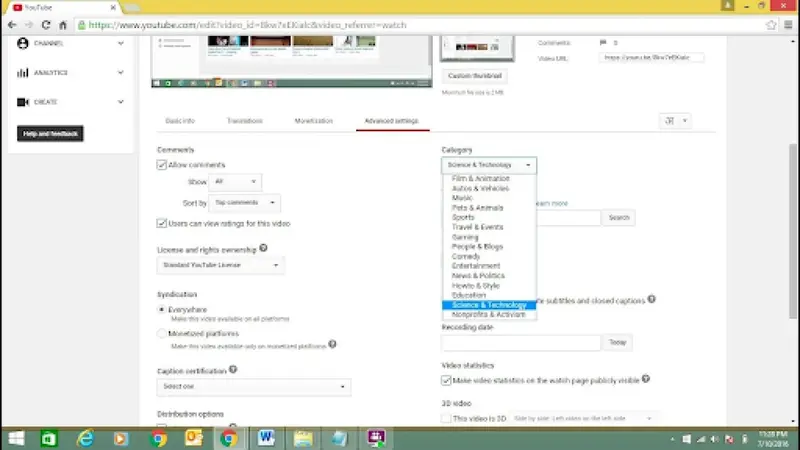
Once you upload a video to YouTube, you can assign it to multiple categories. This is a great way to indicate what your content is and group it with similar videos on the platform.
By choosing the category that best suits your content, you can get it to appear in relevant playlists and gain a higher target audience.
8. Add target hashtags to your YouTube videos.
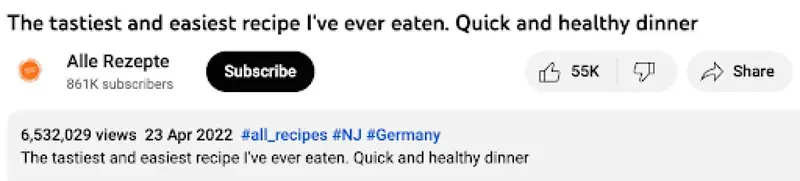
Hashtags are a new feature added to YouTube that helps describe content and group similar videos together. Relevant hashtags appear above the video title for easy discovery.
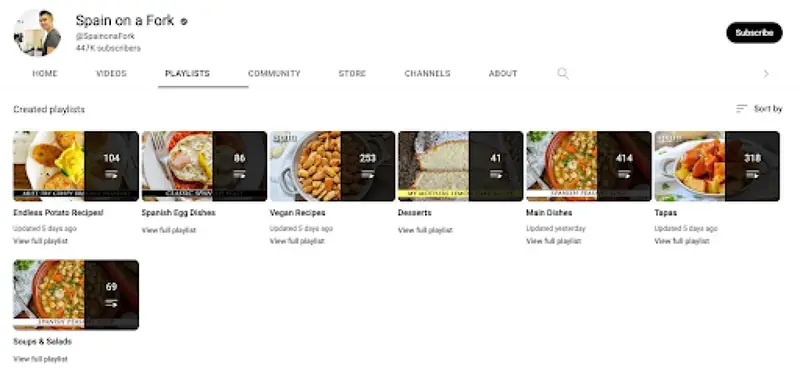
9. Create a playlist to group similar videos.
As your YouTube channel grows, you can create playlists that provide easy access to videos on similar topics.
This makes it easier for viewers to find content they are interested in, encourages them to stay longer, creates a topic ecosystem around the video to highlight the content's subject matter, and boosts its ranking in YouTube search results.
Top 3 Recommended SEO Tools for YouTube
The following are SEO tools for YouTube that can help you find the right keywords.
1. Ahrefs
Ahrefs is a comprehensive keyword tool that can be used for both video and text content. It's ideal for creating lists of potential keywords; simply enter a broad topic into the Keyword Explorer feature and you'll get thousands of relevant ideas in seconds.
2. Keywords Everywhere
Keywords Everywhere is a Chrome extension and Firefox plugin that suggests high-volume keywords from the YouTube search bar. Simply enter the word or phrase you want to target, and it will display monthly search volume, competition, and Google Ads cost per click.
3. TubeBuddy
TubeBuddy is a browser extension that displays detailed keyword analysis in the sidebar of YouTube search results. Rather than interpreting numbers, TubeBuddy suggests keywords with good combinations of search volume and competition.
Improving YouTube video rankings from a business perspective
Creating YouTube videos isn't easy, but it's a content format that consumers love, and only a handful of competitors are investing in it.
To maximize its potential, we'll develop a keyword plan to drive your video ideas and optimize it by incorporating keywords into your video titles, descriptions, tags, hashtags, and even filenames.
This allows YouTube to understand the content and expand its reach to new audiences.
Frequently Asked Questions about YouTube SEO
How do you optimize YouTube videos for SEO?
YouTube SEO strategies include creating a keyword plan to improve the visibility of your videos in search results. Create a keyword plan and distribute keywords throughout your video copy. This includes the video title, description, file name, and tags.
What are the specific ranking factors on YouTube?
- Total views
- Viewing time
- Number of subscribers
- video quality
- Video relevance to search terms
- YouTube channel status
What are some suitable SEO tools for YouTube SEO?
- Ahrefs: Generates thousands of keyword suggestions
- Keywords Everywhere: Discover high-volume related keywords
- TubeBuddy: Analyzes potential keywords
How can I get my YouTube videos to appear on the first page of Google search results?
We optimize your videos for search results by conducting detailed keyword analysis and enriching your video titles and descriptions with relevant keywords. We also maximize watch time, increase view counts, and establish your YouTube channel's position to meet YouTube's ranking criteria.
How long does it take for a YouTube video to be ranked?
The success of a YouTube video depends on the first 48-72 hours. However, it can take 3-6 months for the video to start ranking for your desired keywords.
Share this article
- Share on Facebook
- Share on X
- Share on LinkedIn