跨境独立站开店
How to set a canonical URL in Shopify meta fields
This guide explains how to set a canonical URL using Shopify's meta fields. Learn how to prevent duplicate pages from being indexed and the setup procedure to improve your e-commerce SEO.
What is a canonical URL?
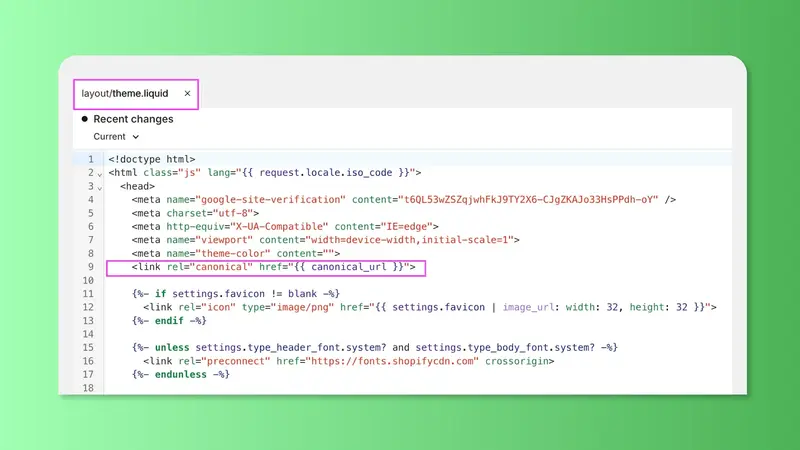
A canonical URL is a URL designated as the standard URL for being indexed preferentially. When identical or similar content is published under multiple different URLs, designating a standard page helps prevent the search engine's ranking from being diluted. This is a technical SEO technique that uses the following HTML tag.
When to use the canonical URL
A canonical URL is used when multiple URLs with the same or similar content are indexed. In SEO, if multiple URLs with identical content are indexed, the ranking becomes diluted, weakening the SEO effect. There is also a risk that search engines will identify it as duplicate content and lower its ranking.
1. Create a meta field for each page type where you want to set a canonical URL.
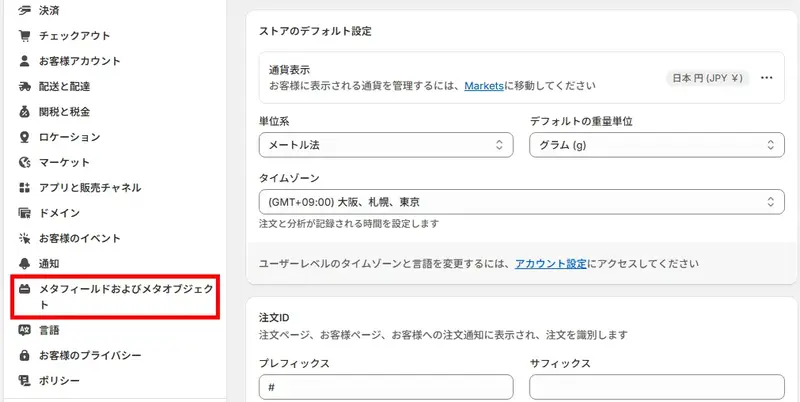
First, you create a meta field. If you only want to override the canonical URL for product pages, you only need to create one meta field. If you also want to override the canonical URL for other types of pages, such as collection pages or blog posts, you will need to create a separate meta field for each type of page.
2. Add code to your theme file and reference the meta field you created.
Next, open the theme.liquid file. Click "Online Store" in the admin panel, select "Themes," and then open "Edit Code." In the file list on the left, click the theme.liquid file in the "Layout" folder. The following code is set by default.