跨境独立站开店
Shopify Store and Printful Connection & Product Addition Guide: Steps to Starting Your Online Shop
With Shopify and Printful's online store integration, you can design and sell original goods using on-demand printing and dropshipping. This guide will show you how to set up your Shopify store to sell original goods using Printful.
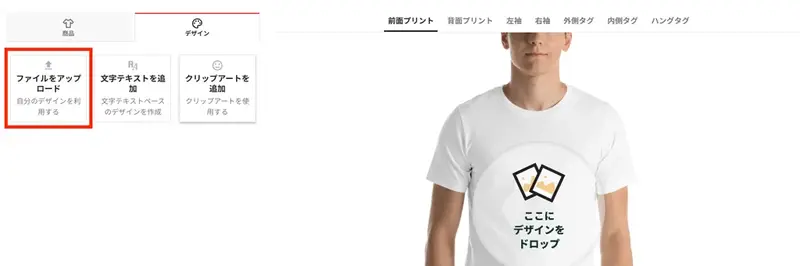
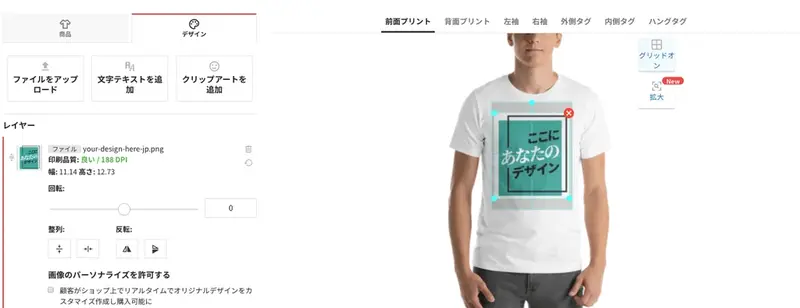
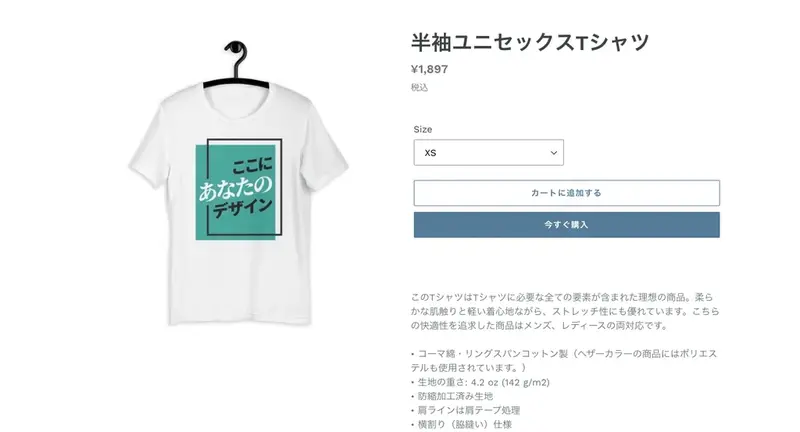
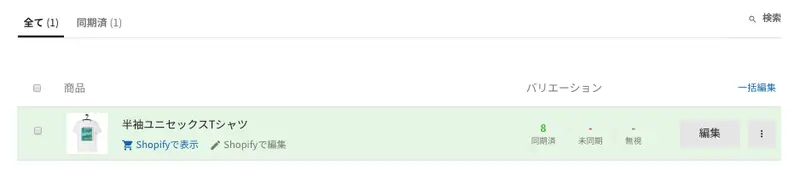

Shopify Store and Printful Connection Setup Guide Video
Here's how to set up your shop on Shopify. For an easy-to-understand guide in Japanese on how to set up your Shopify account, please click here.
Step 1. Create an account with Printful (registration is free).
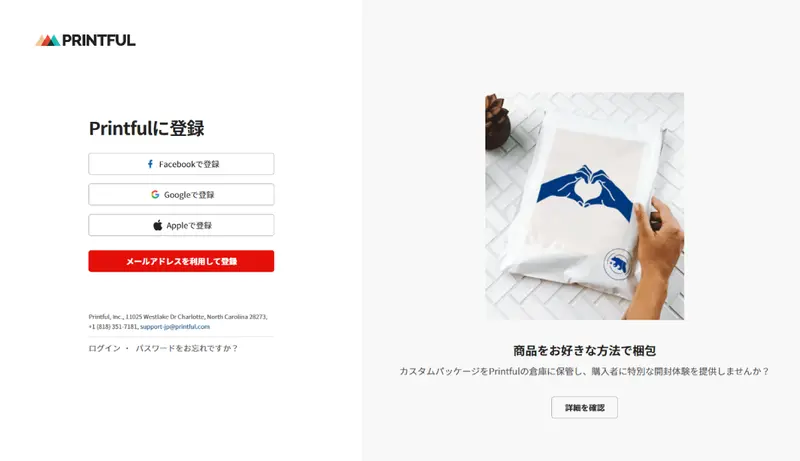
Signing up for a Printful account is a simple process that takes only a few minutes. First, go to the Printful homepage to set up on-demand printing, and click the "Register" button in the upper right corner of the page. This will take you to the membership registration page shown below.
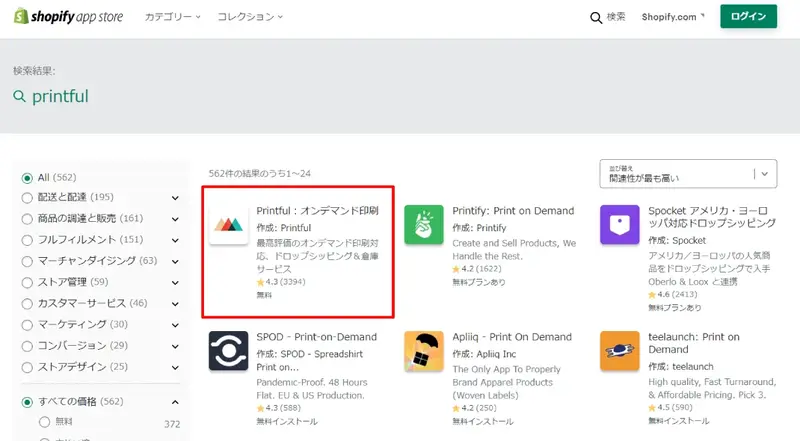
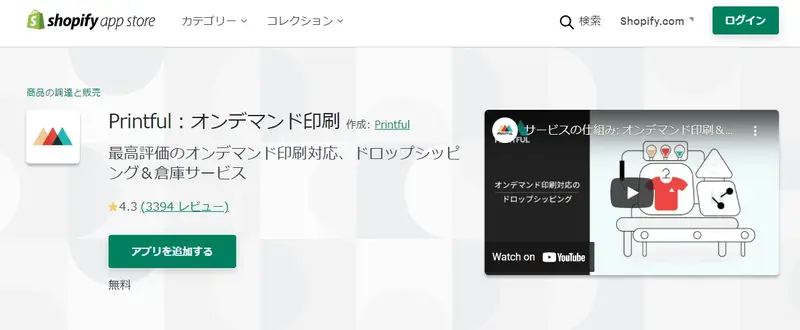
Step 2. Download the Printful app from the Shopify website.
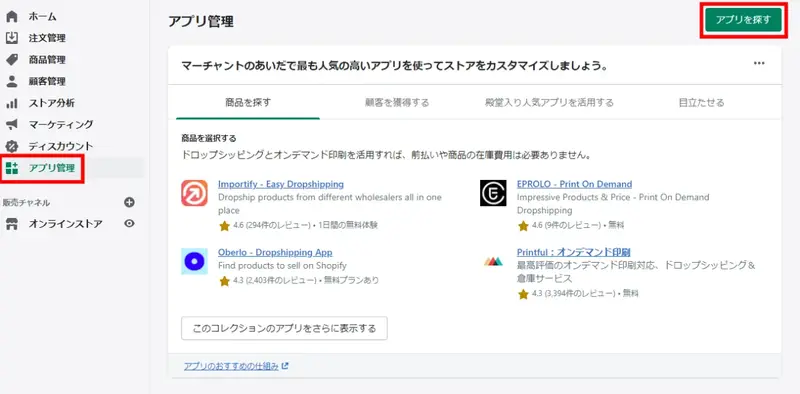
Log in to your Shopify account and click "Find apps" in the app management menu screen.
Step 3. Connect your Shopify store to Printful.
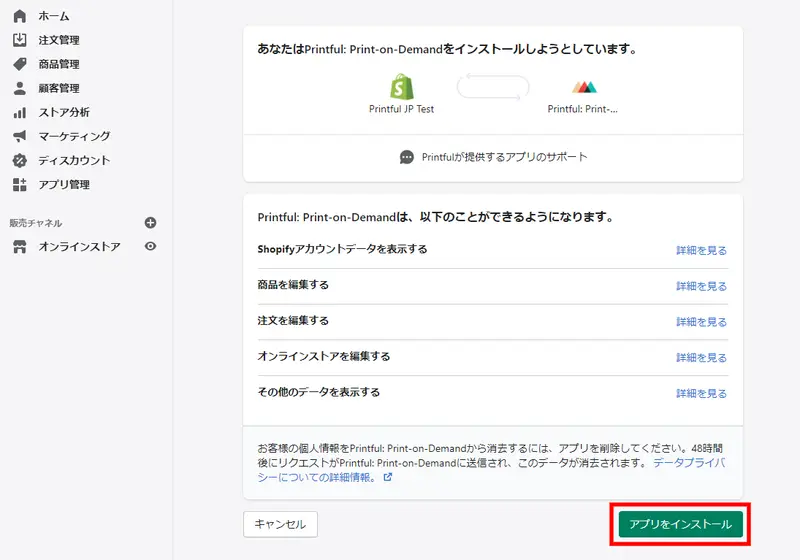
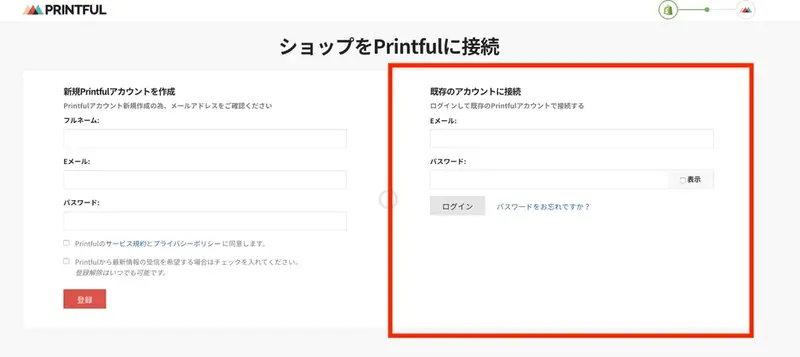
Once the "Printful app" installation is complete, you will be taken to a screen where you can log in to both your Shopify and Printful accounts. If you have already created a Printful account in Step 1, enter the email address and password you registered with Printful under "Connect to an existing account" on the right side of the "Connect your shop to Printful" screen, and then click "Login".