跨境独立站开店
The newly redesigned Shopify POS: Delivering the shopping experience people are looking for today.
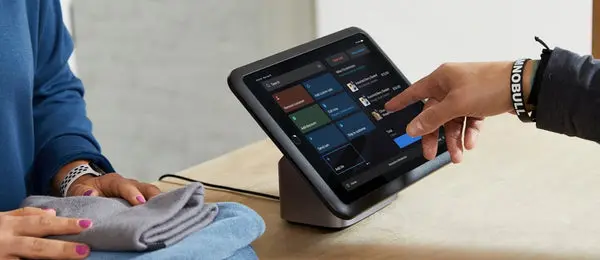
Are you familiar with the Shopify POS app? This POS app, fully integrated with your Shopify store, allows you to synchronize data between your physical store and online store in real time. And now, Shopify POS has evolved and arrived in Japan!
Guide online customers to physical stores.
Store pickup is an option where customers can order online and pick up their items at a physical store or on the curbside. This allows businesses to continue selling in-store in a safe way. Shopify's new POS system allows businesses to offer a "store pickup" option, so customers can safely pick up their orders without leaving their cars.
Get a grasp of the numbers with powerful reporting features.
Understanding your business performance allows you to make quick and informed decisions. Shopify POS visualizes daily sales, average order value, and average number of items purchased across all your stores.
Improve cash flow with smart inventory management.
Promoting your most popular products is essential for a healthy business. Being able to quickly identify which products to prioritize allows for faster inventory management and mitigates cash flow constraints. Selling slower-moving items in bundles or offering discounts can also reduce unnecessary inventory management costs.
Flexibility to grow your business
Every business is different, so a POS system needs to be tailored to individual business needs. Shopify POS is designed with flexibility to meet those needs. The new customizable Smart Grid feature allows you to prominently display frequently used workflows, discounts, and apps on the home screen. Smart Grid tiles automatically adapt to what's happening in the cart, making checkout smooth and easy.