跨境独立站开店
How to find the domain owner using WHOIS
If the domain name you want is already registered, you may be able to find out the owner's name and negotiate to have it transferred to you.

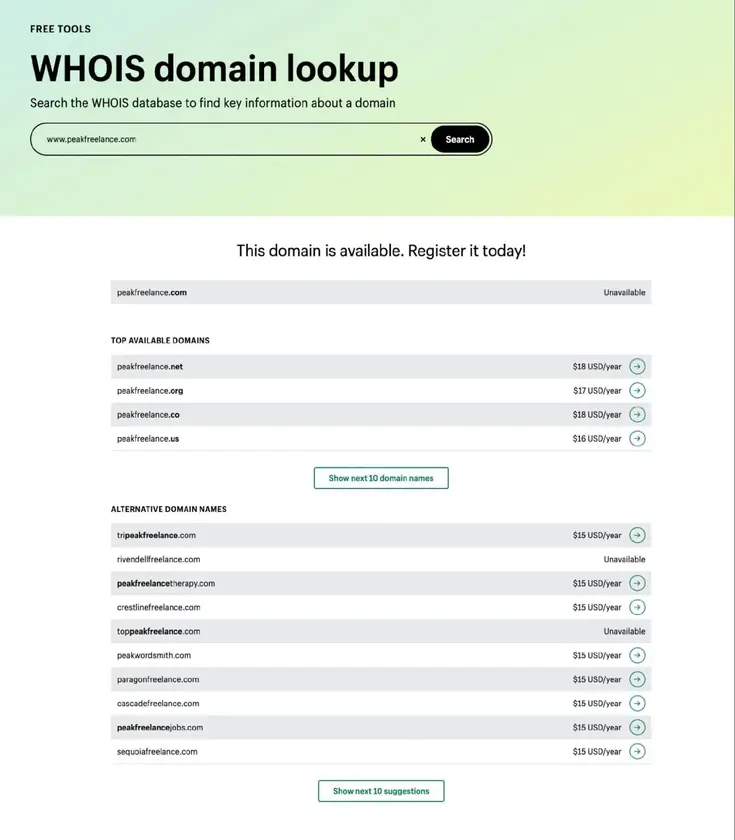
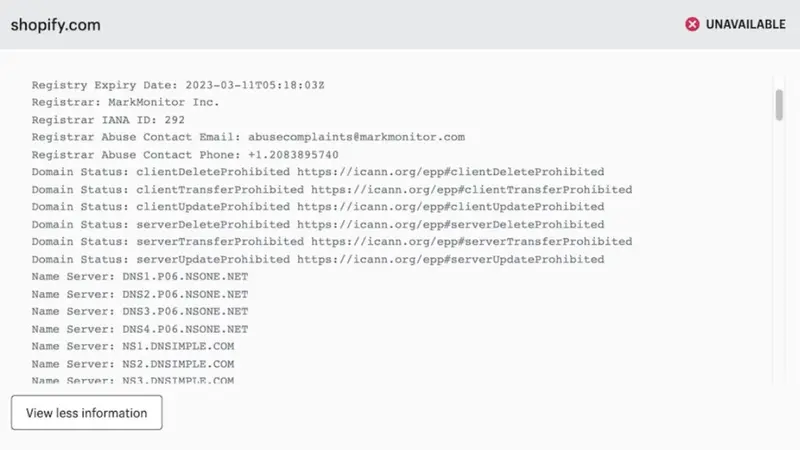
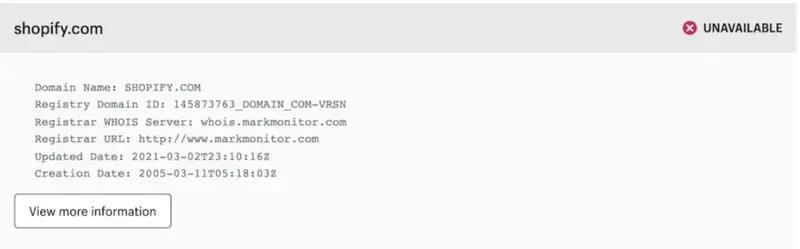
Information that can be found through a WHOIS search
WHOIS search is a method for checking information such as the registrant and registration date of a domain. Information on domains registered through ICANN-accredited domain registrars can be retrieved using WHOIS. By entering a domain name or IP address into a WHOIS search tool, the corresponding registration information will be retrieved and publicly available information will be displayed.
The difference between WHOIS and RDAP
RDAP (Registration Data Access Protocol) is a new registration data query mechanism that replaces WHOIS. ICANN is promoting the use of RDAP as a more secure and standardized way to verify registration information for gTLDs (sectoral top-level domains) such as .com.
Benefits of checking past WHOIS history
A standard WHOIS search allows you to view current registration information. However, examining past WHOIS history allows you to see changes in ownership, registrar changes, and historical technical information.
1. Access the WHOIS search tool.
If you want to check the availability of a domain name, try using Shopify's WHOIS search tool. To verify ownership, use the search tool at WHOIS.com. This tool will show you the domain's registrar, registration date, expiration date, name servers, and owner's contact information (if publicly available).