跨境独立站开店
A Japanese business loyalty point app has arrived on Shopify! Boost customer loyalty with EasyPoints — App
Hello Shopify users! This is Lunaris. Lunaris develops Shopify apps designed to save business owners time while simultaneously improving the customer experience. Today, we'd like to introduce our latest app, "EasyPoints."

Hello Shopify users! This is Lunaris. Lunaris develops Shopify apps designed to save business owners time while simultaneously improving the customer experience. Today, we'd like to introduce our latest app, "EasyPoints."
Hello Shopify users, this is Lunaris.
Lunaris develops Shopify apps designed to save business owners time while simultaneously improving the customer experience. Today, we'd like to introduce our latest app, "EasyPoints."
A loyalty program is necessary!
Creating loyal customers is essential for the growth of an e-commerce business. Repeat customers not only shop frequently, but they also spend more money with each order. Therefore, it is very important to create a loyalty program that encourages customers to return to your store.
However, the overseas-made loyalty program solutions currently available on the Shopify app store do not offer the support that Japanese merchants need or the ease of use that Japanese consumers expect.
EasyPoints is based on Japan's most popular points program, designed to be simple and user-friendly for customers, and also provides domestic support for Shopify sellers in Japan.
What can you do with EasyPoints?
1. Using points on the checkout screen
In most point programs in Japan, customers can use their points at checkout, but this is not possible with Shopify's existing solution. Instead, customers have to go through an extra step by redeeming their points on a separate page, which generates a coupon code that must be entered during checkout.
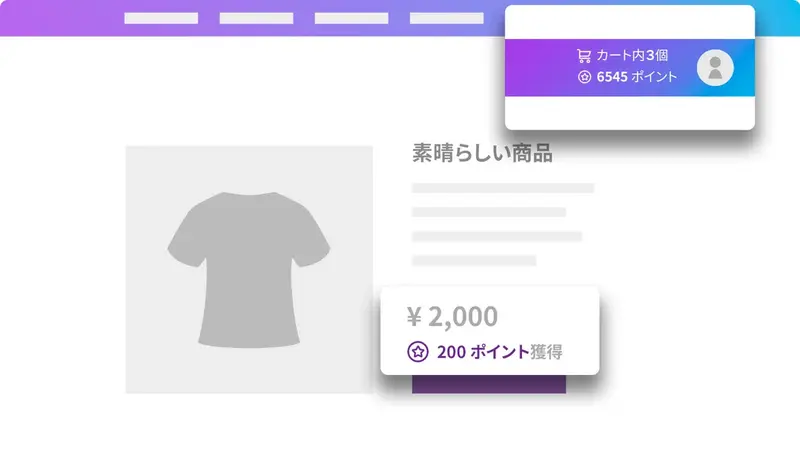
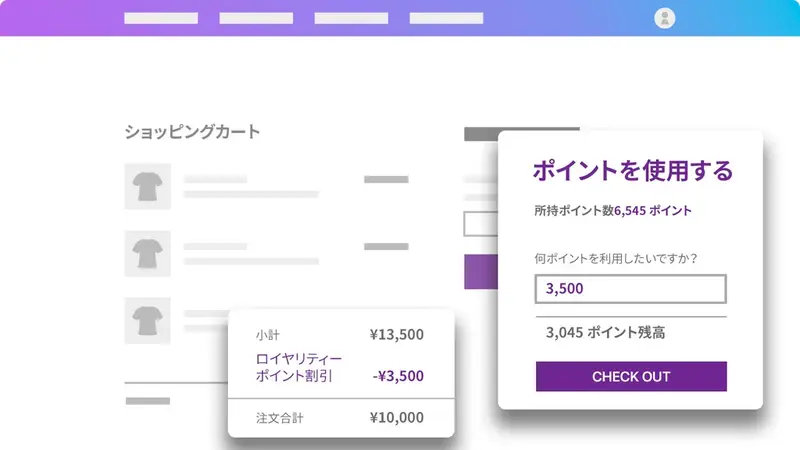
EasyPoints simplifies this process by allowing customers to earn points at checkout. Customers can view their point balance and redeem points directly from their cart. Once a customer specifies the number of points they want to use, EasyPoints applies the discount on the cart page. This also means customers can adjust the amount of points they redeem without leaving the cart page.
2. Schedule of point campaigns
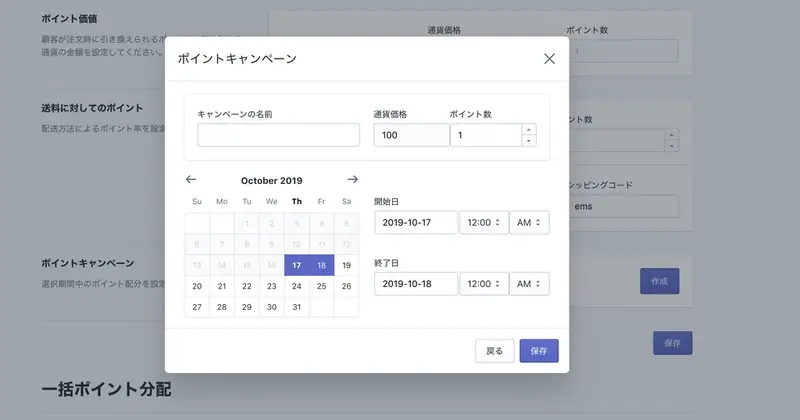
You can start or schedule a bonus points campaign based on your selected bonus amount. Bonus points campaigns offer additional points to customers who make purchases during the campaign period, motivating both new and returning customers to make purchases.
3. Customer service using points
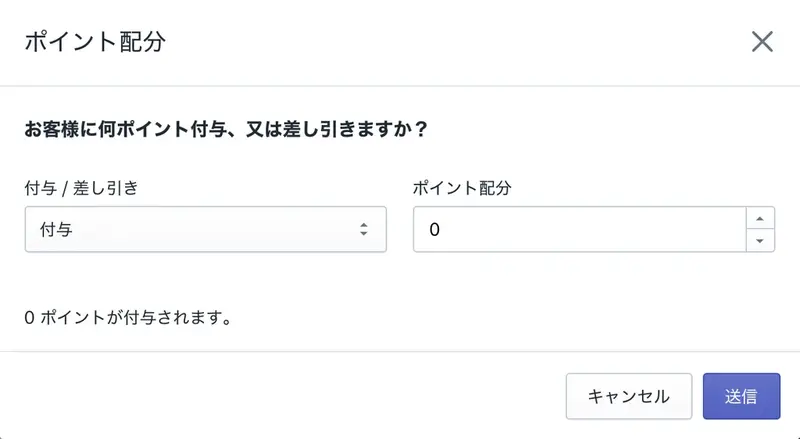
You can manually adjust customer point balances as needed. This means that if there are issues with customer service, you can offer store points as an alternative solution. This way, even if customers were not satisfied with their past experience, you can encourage them to return to your store and have another satisfying experience, thus building better relationships with them.
4. Integration of offline and online points (NEW!)
With the new Shopify POS, you can offer your customers a points system that integrates seamlessly, allowing them to use the same points both offline and online!
How to use EasyPoints
1. First, download EasyPoints from the Shopify App Store.
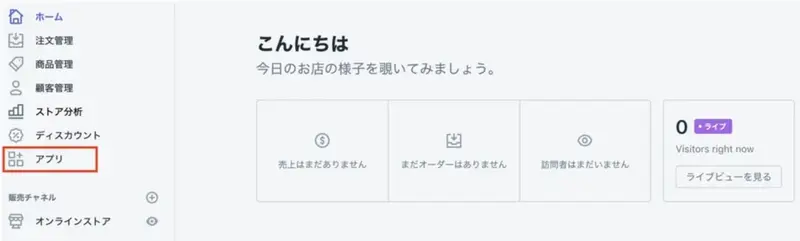
2. Once the installation is complete, you can open the app from the "Apps" side menu bar to begin the initial setup process.
3. First, if you already have another points program and would like to import your existing points balance into your account, please let us know directly.
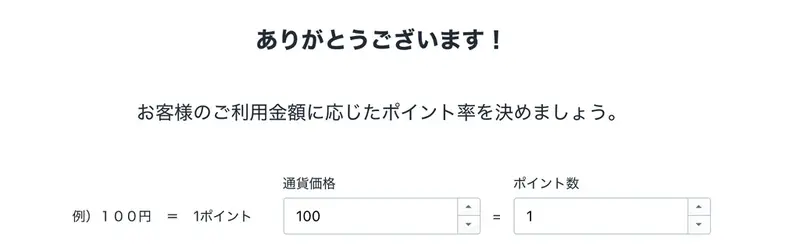
4. Next, determine the amount of money customers need to spend to earn points. This is entirely up to you!
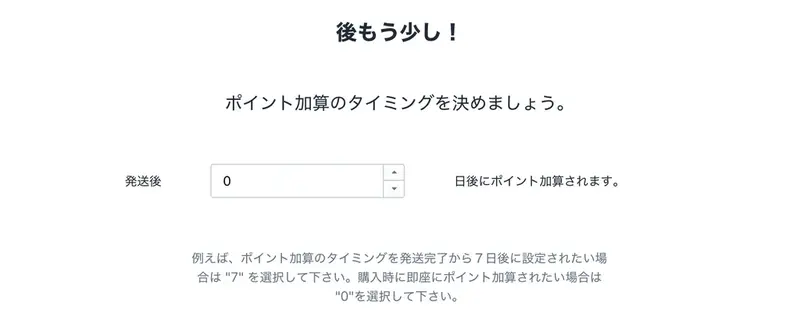
5. You also need to determine the time frame during which customers receive their points after an order is completed. You can specify the number of days customers must wait after an order is marked as shipped before their point balance is updated. This is to ensure that points are not awarded if there are problems with the order, such as cancellations or refunds.
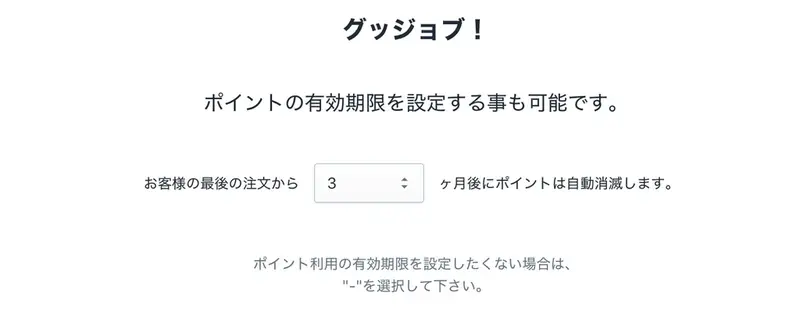
6. Optionally, you can also set an expiration date for your points. The countdown for point expiration begins after your most recent order is marked as shipped.
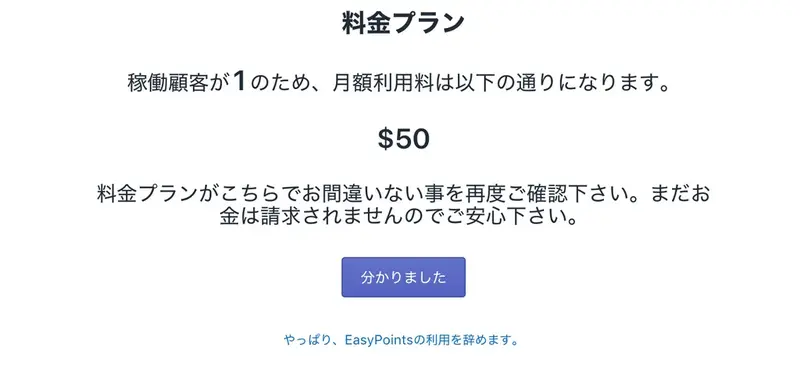
7. Once the points program setup is complete, the pricing page will be displayed, showing the monthly fee for EasyPoints. If you are satisfied with the monthly fee, please continue.
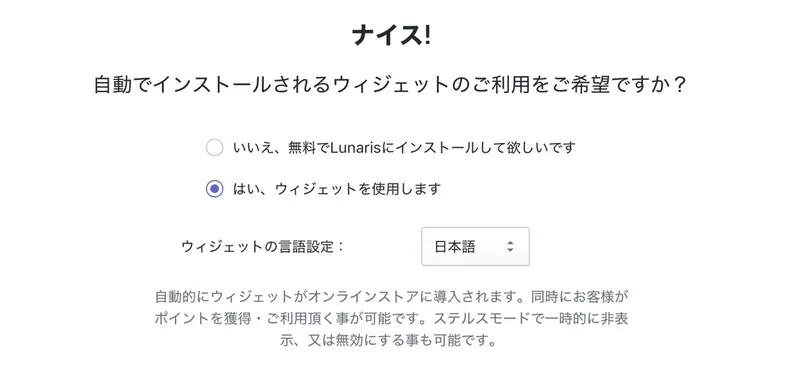
8. In the next step, you will complete the EasyPoints installation. To do this, you can choose to use the automatically installed widget or have Lunaris complete a custom setup at no additional cost.
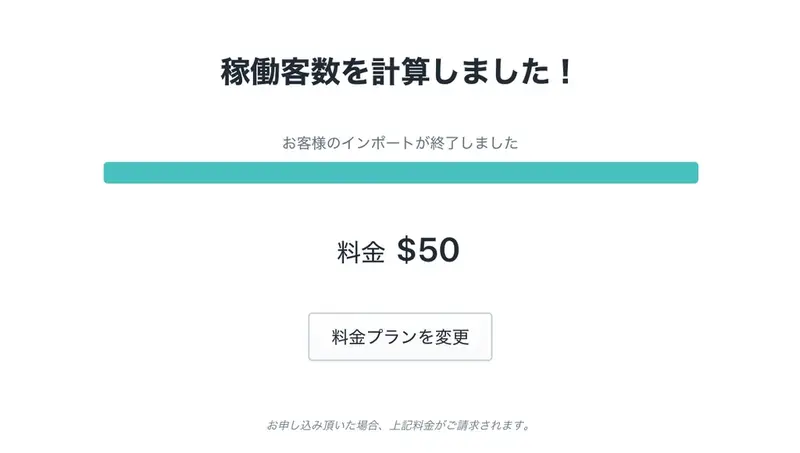
9. Once completed, you will select a plan and begin payment in the next step.
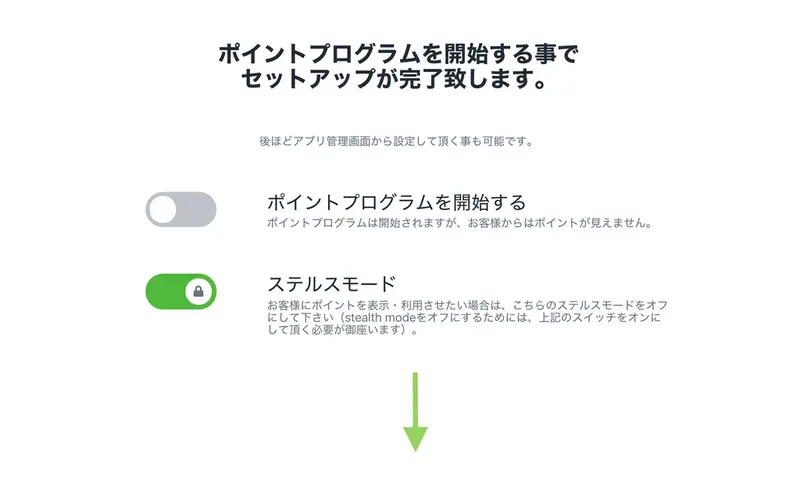
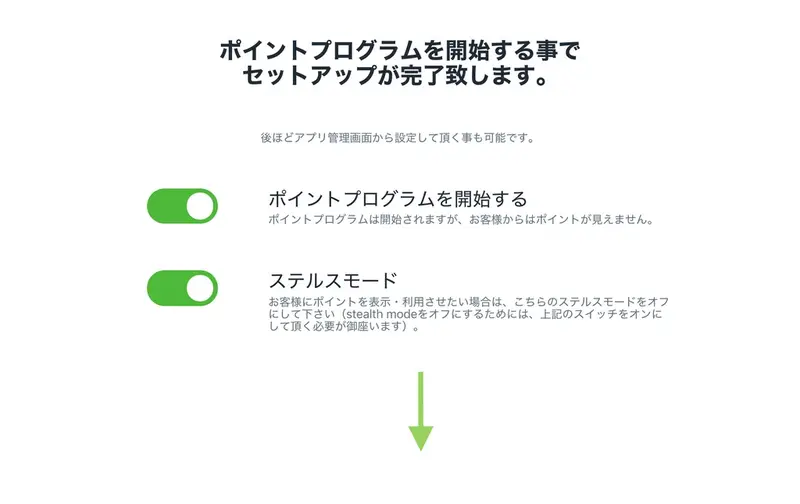
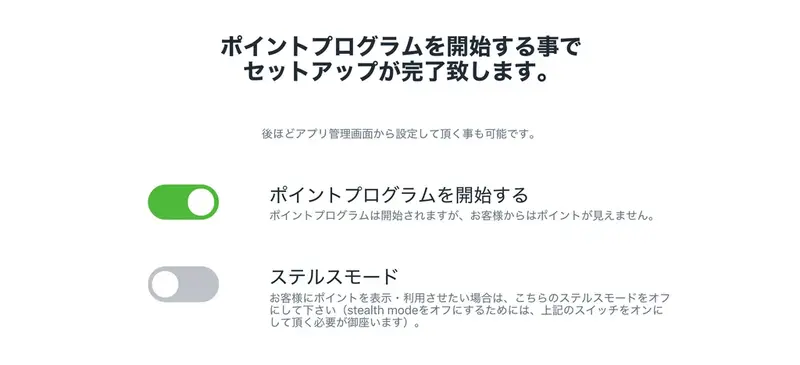
10. The final step in the initial setup process is deciding whether or not to start a loyalty program.
EasyPoints sets up its points program in this way. If you don't start it, the points you've set up so far won't be counted, and the points program itself won't be displayed on the website.
Clicking the toggle at the top will start part of the program. However, while points will be counted, the points program will not be displayed on the website.
If you're ready to display your points program to your customers, then click the toggle at the bottom to turn it gray. Your points program will then be activated and displayed on your website.
11. Initial setup is now complete, and the EasyPoints dashboard will be displayed.
12. To adjust the settings you selected during onboarding, go to the "Settings" tab. From here, you can enable/disable the points program, adjust points rules, schedule points campaigns, and more.
EasyPoints can be started at $50 per month, depending on the number of active customers.
You can download the EasyPoints app here.
read more
- [How to Use Shopify] Opening an Online Store: Basic Setup
- How to create a members-only website with Shopify
- This guide explains how to set up and specify a domain name for your online shop.
- [Must-Read Guide] Introducing Payment Services You Can Use with Shopify
- 30 Stylish E-commerce Sites Built with Shopify, Selected by Designers
- How to Start Cross-Border E-commerce: Why Shopify is Recommended for Overseas Sales Stores
- How to develop Shopify apps and themes
- We've started a partnership with logistics outsourcing service "OpenLogi"! Automate your Shopify logistics!
- Get started right now! 8 recommended Shopify apps for marketing
FAQ
What is EasyPoints?
What are the features of EasyPoints?
Who runs EasyPoints?
Is EasyPoints available in Japanese?
What are the fees for EasyPoints?
After migrating our e-commerce shop to Shopify, we started creating our own custom apps to save time and build a better customer experience. In 2017, we launched Lunaris with the aim of sharing our knowledge and apps to help other Japanese sellers grow their businesses. We offer a variety of services, including consulting and custom app development. We also have three other apps on the Shopify App Store. One is EasyRates and EasyLabel, which allows shop owners to print Japan Post shipping rates and labels without leaving Shopify. Another is Advanced Cash on Delivery, which allows you to change cash on delivery fees based on the weight and price of the order.
Share this article
- Share on Facebook
- Share on X
- Share on LinkedIn