跨境独立站开店
Free yet professional-quality! Introducing a great selection of free Shopify themes you can use right now!
Today, I'll introduce some free themes (templates) that you can use with Shopify. One of Shopify's features is that even with free themes, you can easily create a beautiful store that looks like it was made by a professional! It also has a wealth of features, so it might take some time to get used to editing, but once you learn how, it's very easy.
Today, we'll introduce some free themes (templates) offered by Shopify. One of Shopify's key features is that even with free themes, you can easily create a beautiful, professional-looking online store. Find a theme that matches your vision and launch your fantastic online shop!
Today, I'll introduce some free themes (templates) offered by Shopify.
One of the key features of Shopify is that even with free themes, you can easily create stylish stores with a design that's difficult to achieve on other platforms. Furthermore, editing the design is simple: just add images, write your copy, select the sections you want to add to your pages, and create your pages.
Now, in this article, find a theme that suits your vision and create a wonderful online shop with Shopify!
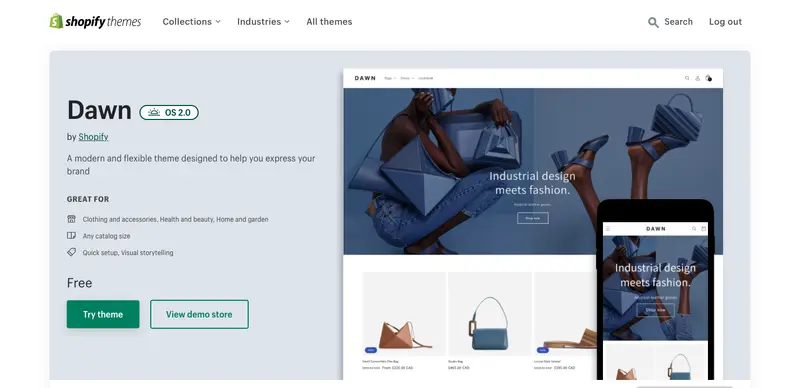
Dawn NEW!
This is the default theme applied to new stores launched in the fall of 2021 or later. It's the first open-source theme compatible with the latest Online Store 2.0, and as you can see, it has a simple yet beautiful design. It's mobile-first, fast-performing, and allows you to create a sophisticated store in no time with no coding. Learn more
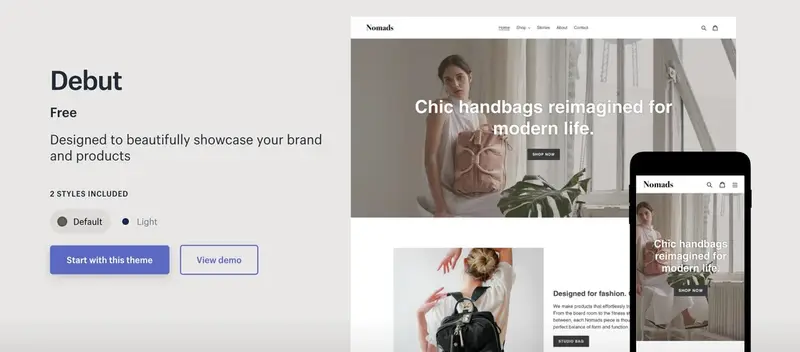
Debut
Debut is a theme that comes pre-downloaded when you register with Shopify. It's very simple, but highly functional. You can continue using this theme as your store's theme, or you can try it out first to get a feel for its features and how to use it, and then switch to other themes later. There are two styles: "Default" and "Light".
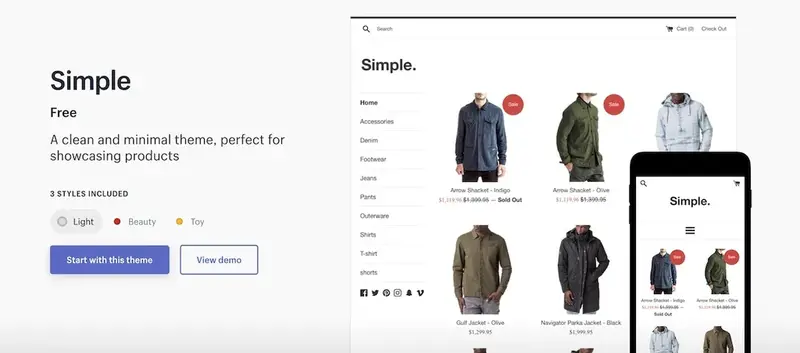
Simple
As the name suggests, this is a "simple" theme. It's recommended for stores that want to display many of their products on the homepage to showcase them to customers. There are three styles available: "Light," "Beauty," and "Toy."
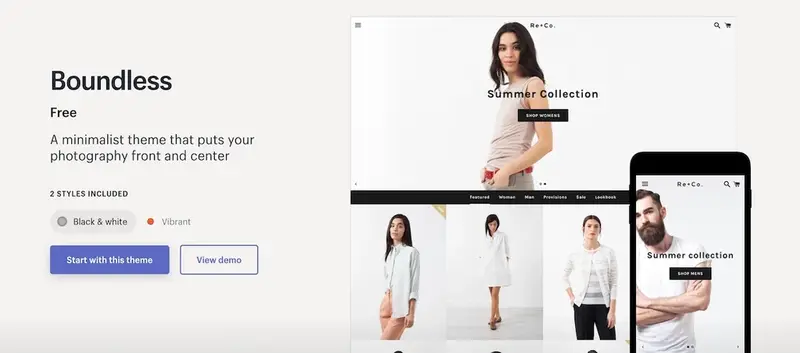
Boundless
This theme is recommended for stores that want to feature large photos on their homepage or create a store centered around product photos! It also features the ability to easily embed videos from YouTube and other platforms. Two styles are available: "Black & white" and "Vibrant".
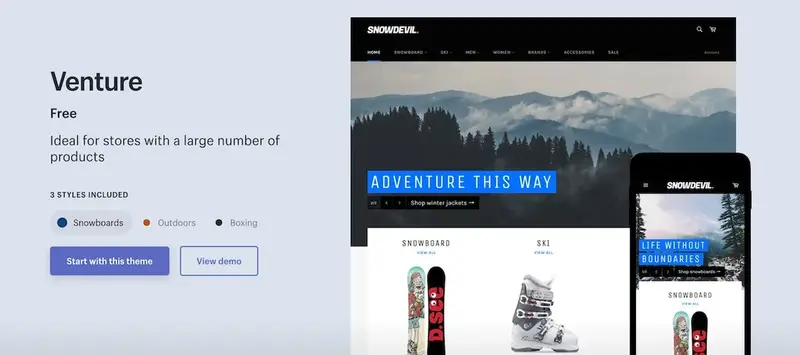
Venture
This is recommended for stores that want to sell a large number of products. It would suit stores that sell cool items as well as stores that sell a lot of fashionable items. There are three styles: "Snowboard," "Outdoors," and "Boxing."
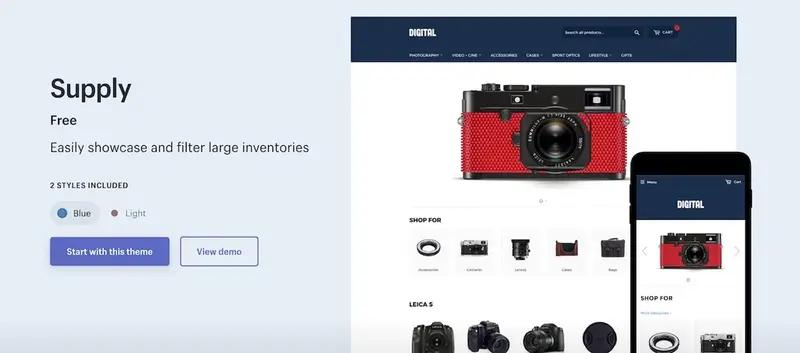
Power
This is recommended for stores that want to add a large number of products. A key feature is the ability to easily add a filter function to the sidebar on the product list page. It might be perfect for stores with many categories. Two styles are available: "Blue" and "Light".
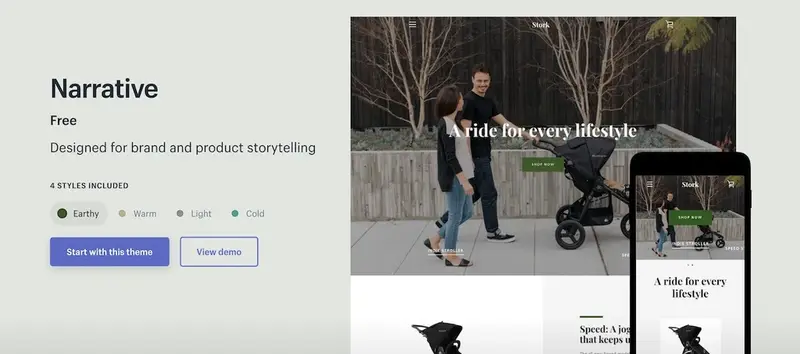
NATURE
This theme is perfect for stores that want to tell the story behind their products. You can also insert videos in the main image area, allowing you to effectively convey the story behind your products. There are three styles available: "Earthy," "Warm," "Light," and "Cold."
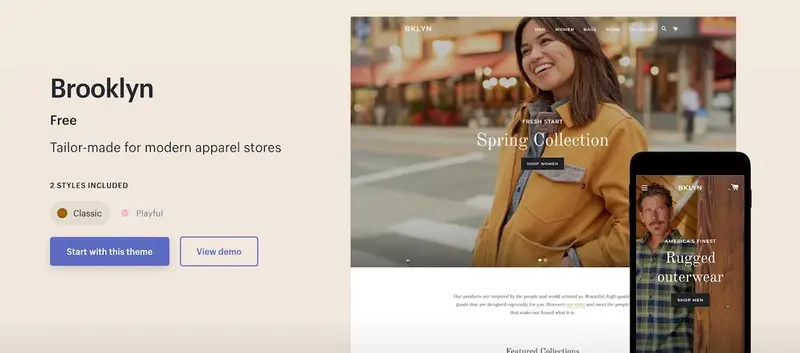
Brooklyn
This is one of our most popular themes. Originally created for stylish apparel stores, it is now used by many stores across various genres. There are two styles: "Classic" and "Playful".
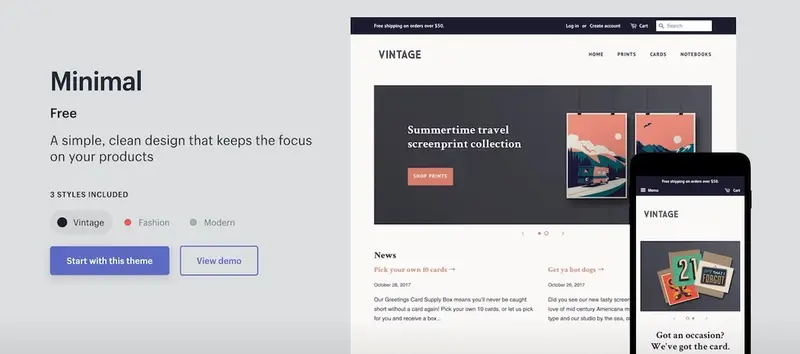
Minimal
This theme combines simplicity and functionality. Related products can be easily displayed, guiding customers clearly. Three styles are available: "Vintage," "Fashion," and "Modern."
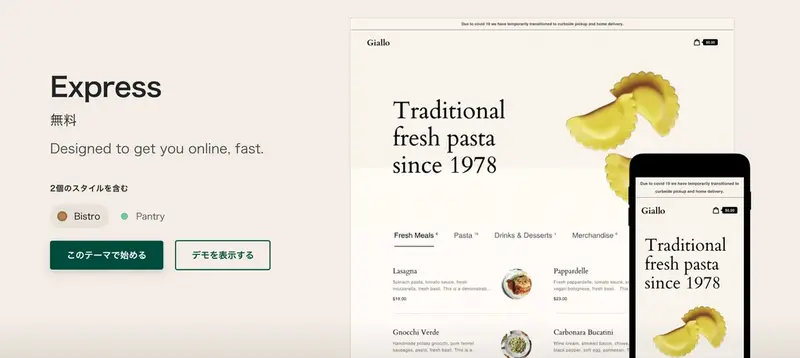
Express
This is the latest theme for restaurants and the food and beverage industry. It's especially perfect for businesses that want to sell their takeout items online. It's also suitable for businesses that want to display their products clearly and concisely. There are two styles available: "Bistro" and "Pantry".
This article introduced Shopify's free themes with brief explanations. While we've described the features of each theme, all themes can be used for stores of all genres. Find the perfect theme and style for your brand and products, and create a wonderful online shop!
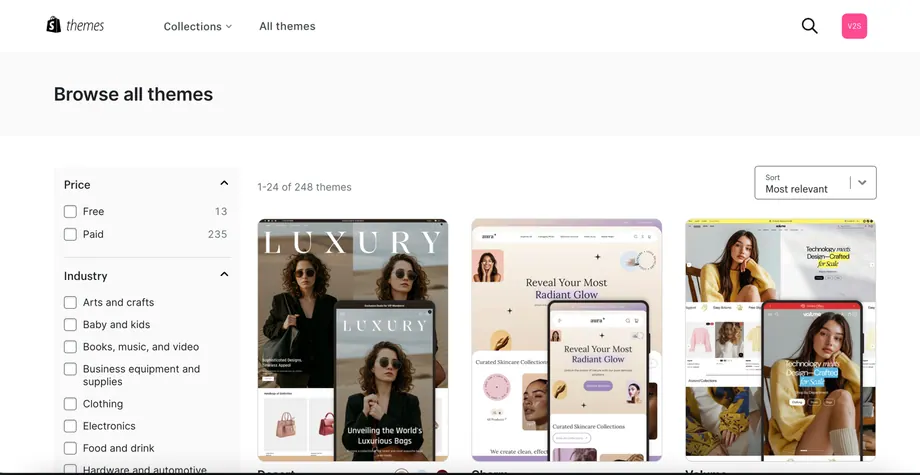
You can also visit the theme store to see demos using actual themes. You can view free themes in the theme store here!
Next, let's look at how to download themes from the store.
Download the theme
The themes introduced here can actually be downloaded without leaving the administration panel.
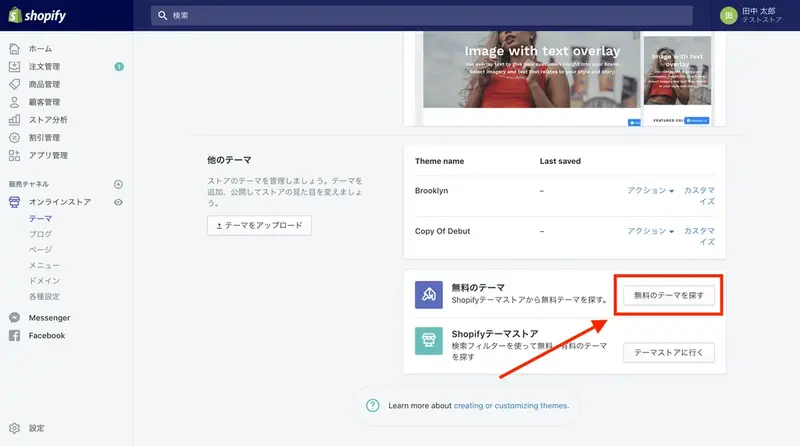
Click on "Online Store" in the admin panel. Scroll to the bottom of the page.
Click "Find free themes".
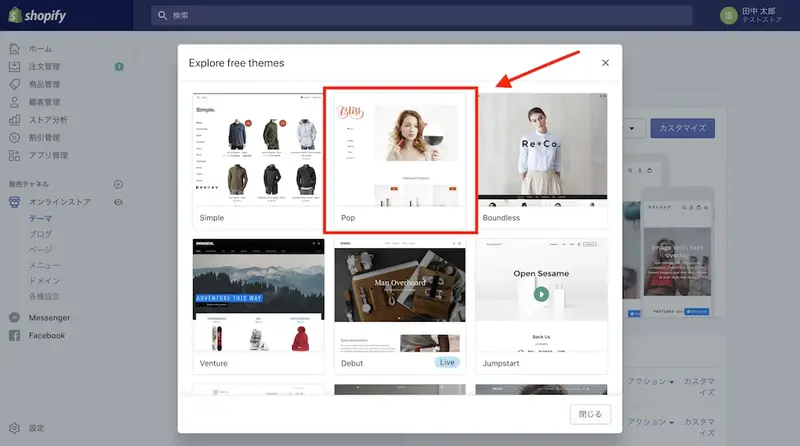
A list of free themes available for download will be displayed. Select your preferred theme and style and click "Add ○○". The theme will be automatically added to the store.
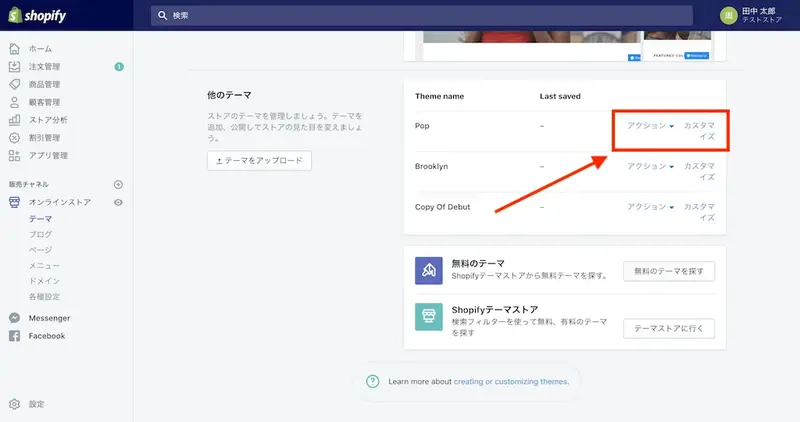
Please note that adding a theme to your store does not automatically publish it. To set it as your store's theme and publish it, click "Publish" under Actions. Alternatively, even without publishing, you can edit and save the added theme as you like from "Customize". If you already have a store published with a different theme, use the above method to prepare your store with the new theme, then click "Publish" to complete the theme migration smoothly!
read more
- 33 Recommended Shopify Themes by Industry
- How to use product media in a custom Shopify theme
- Designing an online shop that sells
- Checklist for setting up a Shopify store
- [How to Create a Website] A 9-Step Guide for Beginners
- 30 Stylish E-commerce Sites Built with Shopify, Selected by Designers
- Online Shop SEO Checklist
- How to proceed with a website redesign? A thorough explanation of timing and procedures.
FAQ
What is a Shopify theme?
How do I download a Shopify theme?
How many free themes are available?
What is the default theme?
What are the differences between the themes?
Share this article
- Share on Facebook
- Share on X
- Share on LinkedIn