跨境独立站开店
How to use Shopify: Steps to set up an online store and useful features
Shopify is an e-commerce platform that allows even beginners to open an online store.


1. Register for a Shopify account
Once the setup is complete, the store's management screen will open. After registering your account, a confirmation email will be sent to the email address you registered, so be sure to complete the verification process.
2. Setting the design theme
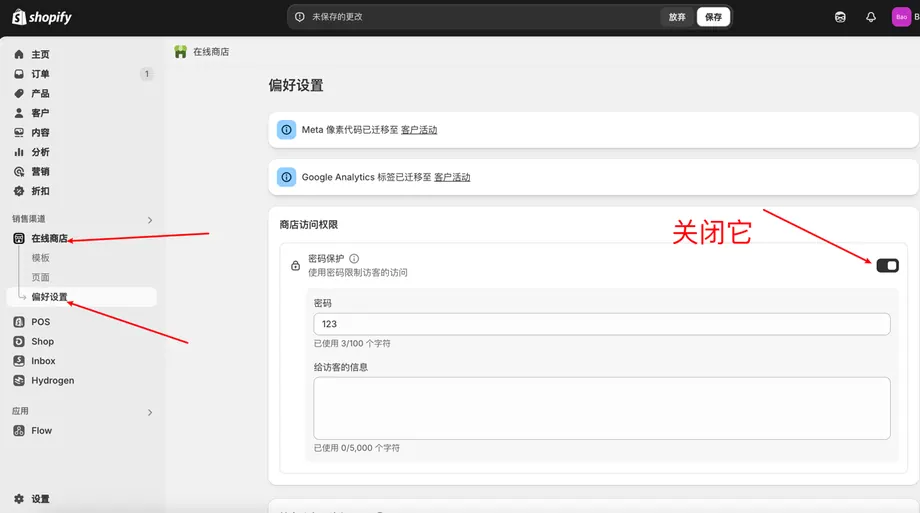
Next, in the administration panel, click "Online Store" > "Themes" to set the shop's design. Setting a theme allows you to apply a consistent design from the homepage to the product pages.
3. Add product information
You can enter the following items as product information. However, you can register a product even if you do not fill in all the items.
4. Creating the necessary pages for the online shop
To operate an online shop, you need pages containing information such as disclosures required by the Specified Commercial Transactions Law. You can create pages to include this information by clicking "Online Store" > "Pages" > "Add Page" in the administration panel.