跨境独立站开店
Increase your conversion rate by using Shopify Inbox.
Shopify Inbox is an efficient tool for centralizing customer communication management. This time, we'll introduce how to use Shopify Inbox chat to encourage customers to make purchases.
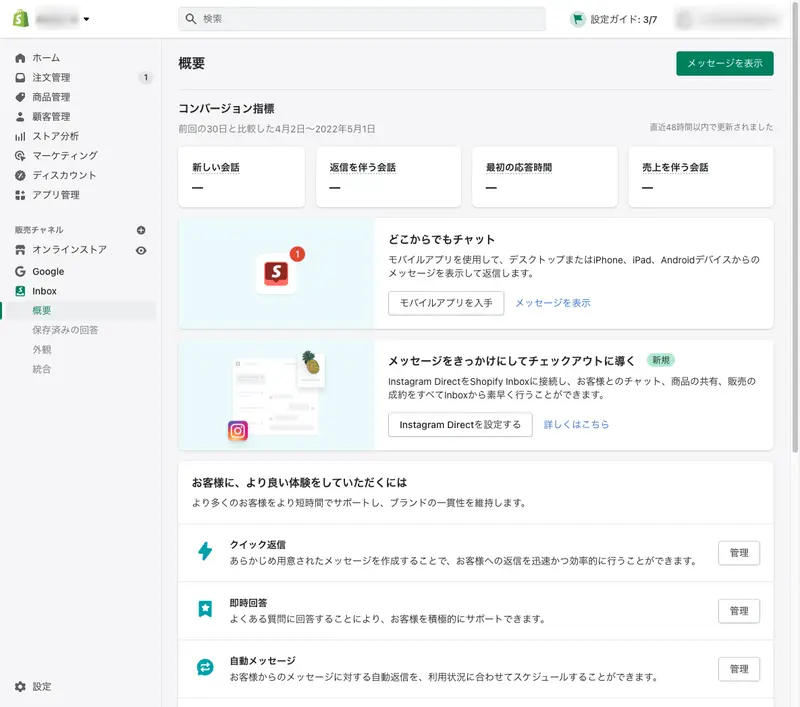
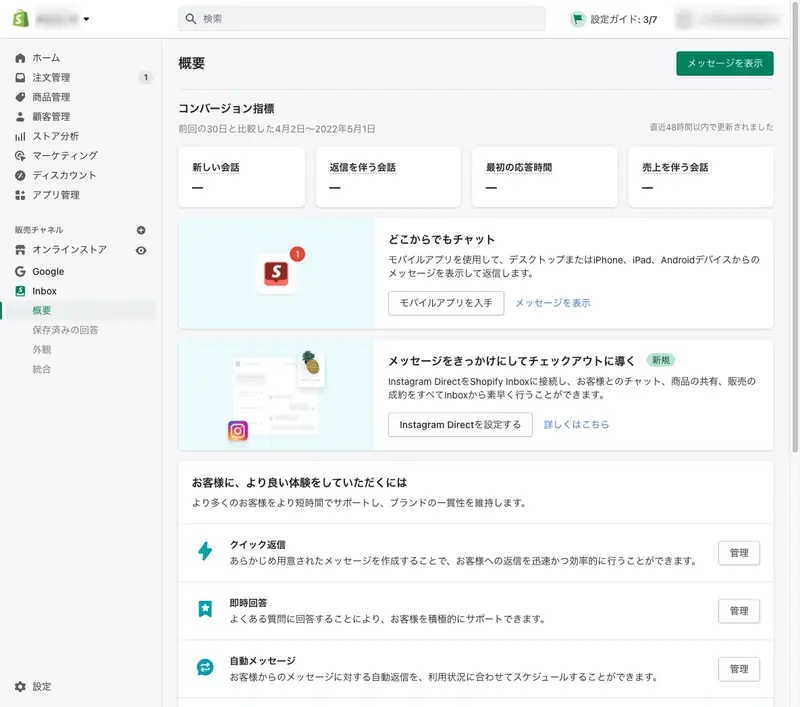

Shopify Inbox is an efficient tool for centralizing customer communication management. This time, we'll introduce how to use Shopify Inbox chat to encourage customers to make purchases.
Customer communication is essential for sales. 70% of inquiries via Shopify Inbox lead to purchases. This article will show you how to use Shopify Inbox to encourage customer purchases. (Shopify Inbox is a high-performance app that succeeds Ping and Shopify Chat.)
Shopify has revamped its messaging service, making it more concise and efficient. Customer service is now easier than ever, allowing you to respond from anywhere and boost sales through chat.
To improve the efficiency of chat
Chat facilitates quick, personalized interactions with customers. It allows for direct communication and sales with every customer. However, managing messages across multiple sales channels is challenging, and maintaining a consistent brand identity across each channel is difficult.
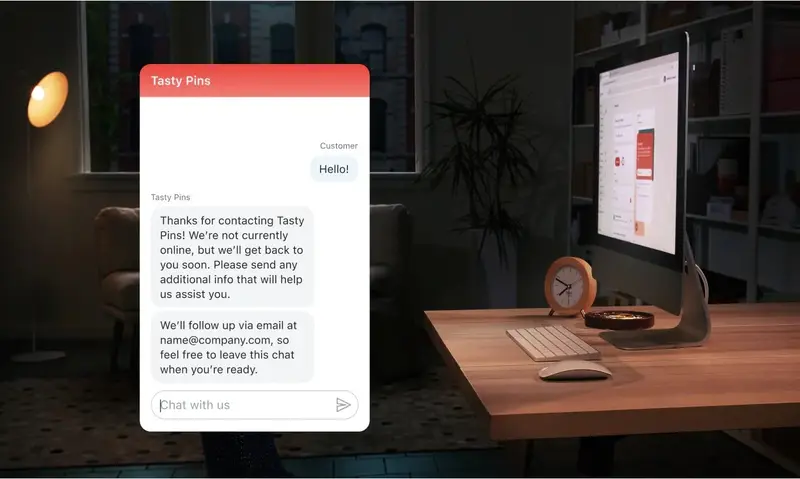
Shopify Inbox is an efficient tool for centralizing customer interactions. The chat interface [appearance] is now customizable, and you can configure automated messages and business hours from the admin panel. Conversation analytics have also been revamped, allowing you to understand the sales effectiveness of chats and use this information to support your growth strategy.
When you open Shopify Inbox, you'll see conversion metrics such as the number of conversations, response time, and conversations that resulted in sales.
Let's not dwell on the one that got away. The current number of unread messages is displayed on the screen in real time, so you can monitor the progress of your communication tasks and switch to sales activities with customers currently visiting your site.
Increase customer contact points
The chat function on your website isn't the only way to connect with potential customers. Customers visit your site through a variety of channels, and from a sales perspective, you want them to visit you through any channel.
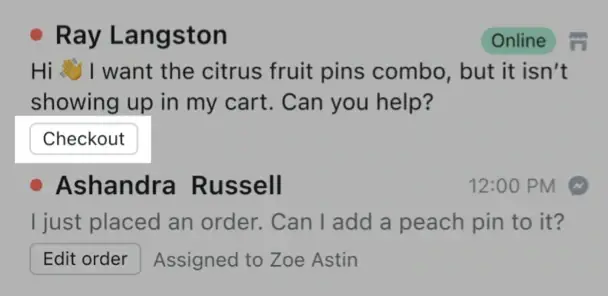
Shopify Inbox makes it easy to centralize chat across all your sales channels. You can also integrate Shopify Inbox with messaging platforms like Facebook Messenger and Instagram. These integrations allow you to offer direct product shipping and price reductions from your physical store via chat. With just a few taps, you can turn chats into direct purchases.
There may be situations where an immediate response is not necessary or is not possible, but in such cases, chat offers flexible support.
If live chat isn't possible, you can automatically find the customer's contact information and continue the conversation via email when you're free. You won't miss out on sales opportunities even if the customer leaves the shop or you go out for an errand.
Boost sales by making conversation the deciding factor.
Chat is not only used for customer support, but it also proves to be an effective sales tool. Perhaps this has never been more apparent than in recent times, with so many retailers shifting to online sales. During the COVID-19 pandemic, sales via chat on Shopify stores increased 3.39 times compared to pre-pandemic levels.
When store owners use Shopify Inbox to handle customer interactions, over 70% of those interactions result in a purchase. However, the higher the customer's purchase intent, the more difficult it becomes to close the deal through conversation. Shopify Inbox provides a wealth of data to support sales. When a customer starts a chat on your online store, you can see what items they've added to and removed from their cart, allowing you to prepare for questions and recommend products that meet their needs.
Shopify Inbox now includes a quick and easy sales tracking feature, and automated conversation analysis reveals the content of new messages. Information such as size, stock, shipping, and past orders are displayed in a list, allowing you to provide customer-focused service that leads to purchases.
These items will also be added to store analytics, allowing you to review FAQs, quick replies, and product descriptions based on frequently asked questions.
The future of chat rests on Shopify Inbox...!
As mentioned above, customer interaction is essential for sales. As purchases increase and online store visits grow, Shopify Inbox empowers chat as a robust sales channel. Shopify Inbox boosts sales, supports customer service, and reduces support time and effort. Plus, everything can be managed centrally within your Shopify store.
Shopify will continue to empower merchants with insights and sales strategies. With Shopify Inbox, you can sell to customers from anywhere, guiding them through the conversation all the way to purchase.
Original text: Annie Berrones Translation: Midori Aoi
Share this article
- Share on Facebook
- Share on X
- Share on LinkedIn