跨境独立站开店
Shopify and SB Payment Service have added numerous payment methods, including PayPay! A new user campaign is running until December 25th.
Shopify has partnered with payment processing company SB Payment Service (hereinafter "SBPS") to add PayPay (online payment), carrier billing, web convenience store payment, and Pay-easy payment options.
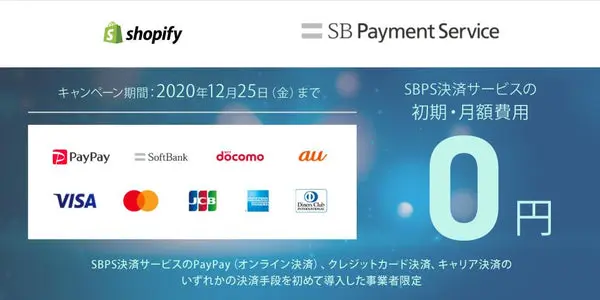

Shopify has partnered with payment processing company SB Payment Service (hereinafter "SBPS") to add PayPay (online payment), carrier billing, web convenience store payment, and Pay-easy payment options.
This means that businesses using Shopify can now implement four new payment methods in addition to credit card payments and Rakuten Pay (online payment) by integrating SBPS's payment service *1. This is the first time that PayPay (online payment) will be available on Shopify *2.
SB Payment Service will continue to expand the range of Japan-specific payment methods available on Shopify.
Available payment methods
We have added various payment methods to meet the diverse needs of users, including PayPay, a cashless payment service with over 30 million registered users that is expected to contribute to attracting customers to e-commerce sites; carrier billing, which allows users to easily pay by adding the amount to their mobile phone bill; and web convenience store payment and Pay-easy payment, which are convenient for users who do not have a credit card. By introducing multiple payment methods tailored to users, businesses can prevent customers from leaving their site due to the lack of a preferred payment method and increase sales.
Credit card payment
Visa, Mastercard, JCB, American Express, Diners Club International
Wallet payment
PayPay (online payment), Rakuten Pay (online payment)
Carrier billing
SoftBank Collective Payment, Docomo Payment, au Easy Payment
Web convenience store payment
Seven-Eleven, FamilyMart, Lawson, Ministop, Seicomart
Pay-easy payment
ATMs and internet banking at banks, credit unions, labor banks, agricultural cooperatives, fisheries cooperatives, and Japan Post Bank nationwide*3
campaign
In addition, we will be running a campaign to commemorate the addition of this payment method.
Shopify businesses that contact us via the dedicated form linked below by December 25, 2020, and introduce one of SBPS payment services—PayPay (online payment), carrier billing, or credit card payment—for the first time will receive a special offer of free initial setup and monthly fees for SBPS payment services*4. Furthermore, if you apply for PayPay (online payment) by November 30, 2020, the transaction fee for PayPay (online payment) will be reduced from the usual 3.5% to 2.99% permanently.
Take this opportunity to implement SBPS's payment services.
Benefits of SBPS payment services
- SBPS provides comprehensive support for various payment methods, including contracting, settlement, systems, and operational support. Because everything is managed centrally, businesses can reduce the effort involved in implementation and operation.
- Businesses that adopt SBPS's payment services can utilize SBPS's fraud detection and guarantee services, as well as marketing support plans that help attract customers, all provided free of charge*5. This contributes to reducing fraudulent use on e-commerce sites and creating effective business opportunities for businesses.
- SBPS provides a sophisticated payment system that handles large-scale transactions worth approximately 3 trillion yen annually, ensuring that businesses can use it with confidence.
read more
- This guide explains how to set up and specify a domain name for your online shop.
- How to create a members-only website with Shopify
- [Latest Feature] Easy implementation with Shopify! Introducing "Mobile Carrier Payments" to boost your online store sales.
- How to use Shopify with WordPress
- 30 Stylish E-commerce Sites Built with Shopify, Selected by Designers
- A must-have guide! Try adding products to your store using a CSV file!
- Shopify Official Store Setup Guidebook 2022 Edition Released! Start your online store with Shopify!
- New setup is super easy! How to integrate the online payment service 'Paidy' with Shopify [Until July 31st!] New setup campaign underway
- Introducing Shopify Payments: A magical payment method that brings profits with high conversion rates and low chargebacks.
FAQ
What new payment methods have been added to Shopify?
What are the benefits for Shopify merchants?
What are the features of SBPS's payment service?
- By providing a comprehensive service that includes contracting, settlement, systems, and operational support for various payment methods, we can reduce the effort required from implementation to operation.
- You can use fraud detection and guarantee services, as well as marketing support plans that help attract customers.
- We provide a sophisticated payment system that handles large-scale transactions worth approximately 3 trillion yen annually, so you can use it with confidence.
Share this article
- Share on Facebook
- Share on X
- Share on LinkedIn