跨境独立站开店
Seamless product information management through Salsify and Shopify integration.
This article introduces a product information management system using the integration of Salsify and Shopify. Explore the benefits of this integration, such as centralized product information management and improved operational efficiency, and use this information to transform PIM into a strategic strength.

This article provides a detailed explanation of how to manage product information using Salsify.
As product catalogs grow larger and products are listed not only on your own e-commerce site but also on e-commerce marketplaces, managing product information becomes a significant burden. This is where PIM (Product Information Management) tools like Salsify come in handy for streamlining the process. By centralizing product information, you can reduce the effort required to operate the management screens of each sales channel.
This article explains what you can do with Salsify and Shopify integration, its benefits, and key points for a successful implementation.
What is Salsify?
Salsify is a PIM (Product Information Management) tool for centralized product information management. Product descriptions, images, and other data entered into Salsify can be reflected across multiple sales channels.
For example, if you list products on both your own e-commerce site and Amazon, you only need to enter the product information once into Salsify, eliminating the need to update it individually on each platform's management screen.
Furthermore, e-commerce sites operated on Shopify can be integrated with other channels by installing the Salsify app (English only).
What you can do with Salsify and Shopify integration
- Optimizing product information to suit each sales channel
- Product Variation Management
- Stable integration using GraphQL
Salsify includes a feature called "Readiness Reports," which allows you to create product information tailored to the requirements of each sales channel while maintaining the basic data of the product. This eliminates the need to create separate product information for each sales channel, which is useful when listing products not only on your own e-commerce site but also on e-commerce marketplaces.
For example, Amazon limits product names to 75 characters and provides a separate field for listing features in bullet points. By using Readiness Reports, you can smoothly create product information in a format that complies with Amazon's listing rules from the raw data entered into Salsify.
Salsify supports products with multiple variations. For example, if you have a T-shirt with the same design but offer multiple colors and sizes, you can register each color and size as a variation of the parent T-shirt product. You can also assign different prices and SKUs to each variation.
By integrating Salsify with Shopify, you can register products in Shopify while maintaining the parent product and variation combinations. There's no need to re-register each color and size individually in Shopify. You can also see the stock levels for each variation on Shopify, making inventory management easier.
The integration between Salsify and Shopify utilizes GraphQL, which Shopify uses as its standard API (a mechanism for systems to exchange data). Therefore, even if Shopify updates, problems are less likely to occur, ensuring stable operation.
Benefits of integrating Salsify and Shopify
- Accurate product information can be displayed across all sales channels.
- This can streamline the process leading up to the publication of a product page.
By centralizing product information with Salsify, it becomes easier to display accurate product information even as the number of products and sales channels increase. For example, if the person in charge of each sales channel enters the same product information separately, the product descriptions may not be consistent. By integrating with Salsify, information can be unified based on the source data. If an error is found, correcting the data in Salsify will reflect the changes in the product information across all integrated sales channels.
If the information for each sales channel is accurate and always up-to-date, it will be less likely to cause confusion for customers who use multiple sales channels. Customers will feel more confident using any sales channel, and trust in the brand will increase.
By utilizing the "Salsify Workflow" feature, you can set up procedures from entering product information to approving the publication of product pages, making it easier to track the progress of tasks and manage the tasks of each person in charge.
Six key points for successfully integrating Salsify and Shopify
- Establish rules for entering data into Salsify.
- Efficiently manage product variations
- Configure Readiness Reports to meet your Shopify store requirements.
- Start by automating simple tasks.
- Actively utilize AI
- Decide on a multilingual expansion strategy.
1. Establish rules for entering data into Salsify.
Since product information for each sales channel is created based on the information entered into Salsify, it's a good idea to decide on the rules for entering information into Salsify beforehand. For example, you could decide to standardize the size notation to "M" instead of "M size" or "medium." This will ensure that the notation is consistent across all sales channels. It's also a good idea to decide on the division and naming of product categories in the same way beforehand.
2. Efficiently manage product variations.
In Salsify, information registered in the parent product is automatically carried over to the variations, so it's a good idea to organize the information that is common to all variations. For example, if you register "100% cotton" as the parent product, that information will be reflected in all variations. By consolidating common information in the parent product, you only need to enter individual information such as color, size, and SKU for the variations.
3. Configure Readiness Reports to match your Shopify store's requirements.
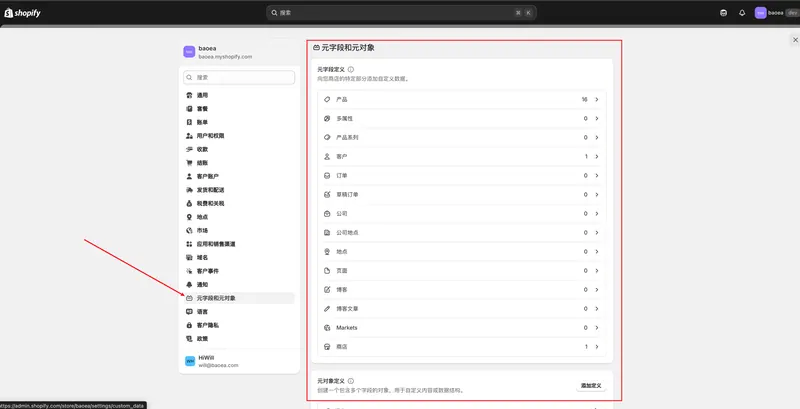
By configuring Readiness Reports to match the requirements of your Shopify store, you can verify that each product has all the necessary information before updating your store. For example, if you've decided that "each product page must have at least three images," you can publish only products that meet that condition. You can also configure items managed by meta fields (a mechanism in Shopify for adding unique information to products).
4. Start by automating simple tasks.
Identify repetitive tasks and automate them using Salsify Workflow in collaboration with relevant parties. For example, start with simple tasks such as "notify the person responsible for reviewing the product description when it is entered." Gradually expand the scope of automation from there, and the team will gradually become accustomed to Salsify Workflow, making it easier to establish automation.
5. Actively utilize AI.
Salsify includes an AI feature called "Intelligence Suite," which allows you to delegate time-consuming tasks to AI. For example, it can replace the background of product images with different scenes or translate product descriptions into other languages. By saving time on these tasks, your team can dedicate more time to activities such as planning new products and campaigns.
6. Decide on a multilingual expansion strategy.
If you're also involved in cross-border e-commerce, it's essential to decide in advance how you'll localize your product information (adjusting translations and expressions to suit each region). Salsify allows you to centrally manage localized product information for each language, as well as regional differences in expression, such as "color" for the US and "colour" for the UK, even if they mean the same thing. This information can then be reflected across all sales channels. By establishing a policy, you can introduce your products to customers in any country using natural language appropriate to their region.
By centralizing product information with Salsify, e-commerce businesses that list many products across multiple sales channels can efficiently manage their product information. Businesses operating e-commerce sites on Shopify can integrate with Salsify by utilizing the Salsify app.
If you're considering implementing Salsify, make sure to check if your company's sales channels support it. It's also important to compare its features and support system with other PIM tools to see if it's suitable for your company's needs. After that, you should contact Salsify to discuss implementation methods and pricing.
FAQ
What is Salsify?
Salsify is a PIM (Product Information Management) tool for centralized product information management, allowing you to reflect product information across various sales channels based on registered data.
How do Salsify and Shopify integrate?
Install and integrate the Salsify app into your Shopify store.
What are the fees for Salsify?
Salsify's pricing requires an inquiry.
Does Salsify support Japanese?
Salsify apps are not translated into Japanese, and Japanese language support is not available (as of November 2026).
Share this article
- Share on Facebook
- Share on X
- Share on LinkedIn