 跨境独立站开店
Shopify App Store Ads: A New Channel for Growing Your App User Base
The Shopify App Store, launched in 2009, has continued to evolve. As Shopify has grown, the number of apps has expanded to over 3,000. For app developers, this presents a huge opportunity, and the customization options for merchants have become more diverse. However, on the other hand, it has become more difficult for apps to be discovered.
Expectations for advertising
The updated app store in 2018 improved conversion rates for existing app developers, but it did not help new apps gain attention, making it difficult for them to compete with established apps.
Use advertising to make it stand out
We know that merchants actively searching for apps are high-quality leads. By launching ads on app stores, we created a channel to reach those merchants directly. It's an excellent way to accelerate the growth of existing apps, and it works especially powerfully for new apps that want traction to climb the organic rankings.
How to leverage advertising in the Shopify app store
Now that app store advertising is generally available, let's look at specific ways to maximize its impact on your business. We'll also share direct advice from beta users.
Step 1: Keyword Bidding
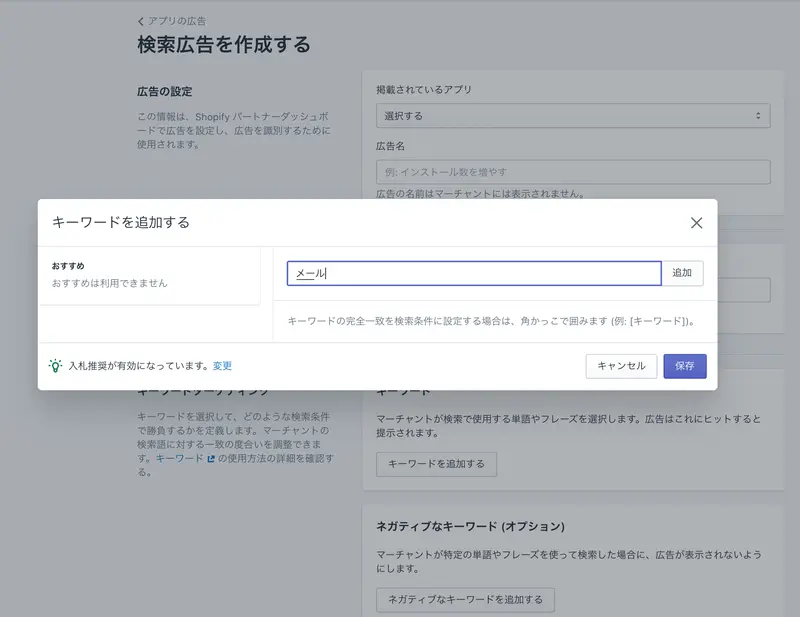
Shopify App Store ads are driven by keyword auctions. When you create an ad, you specify the keywords you want to bid on. When a user searches for those keywords in the app store, an auction occurs, and advertisers compete to bid on those keywords. The winner of the auction gets to display their ad. Costs are only incurred when a user clicks on your ad, and the cost per click (CPC) is the amount you bid during the auction.


