 跨境独立站开店
What is attribution? Introducing models and methods.
Attribution is an effective analytical model for understanding conversions. This article explains the meaning and methods of attribution analysis.


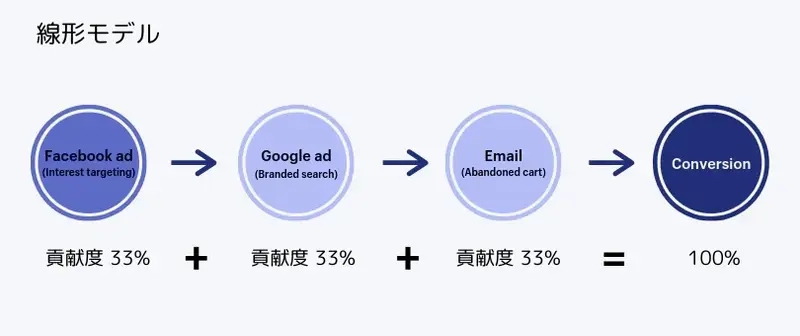
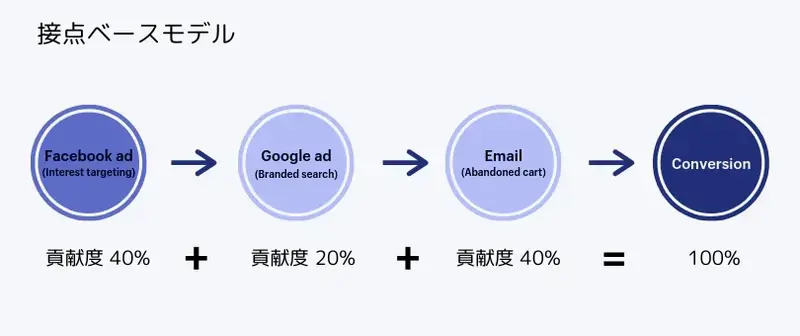
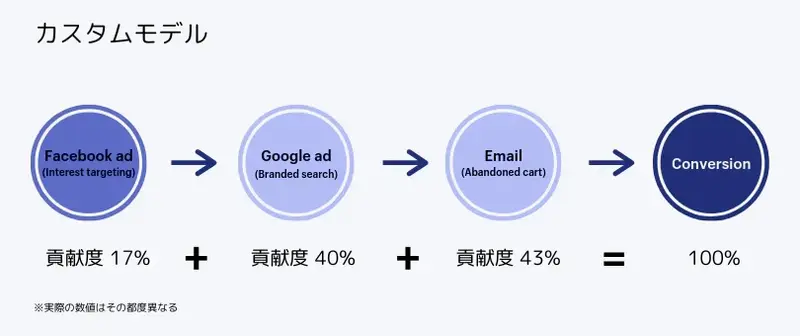



What is attribution?
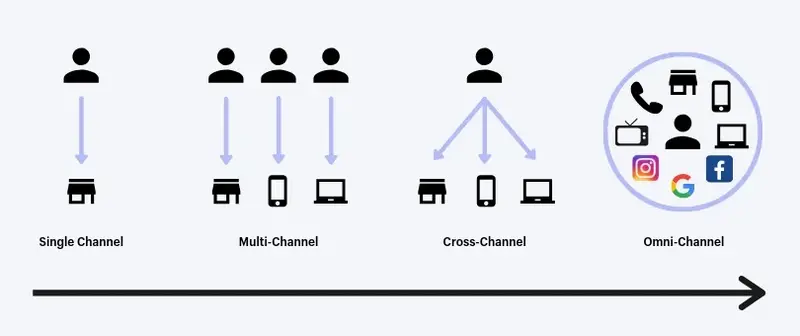
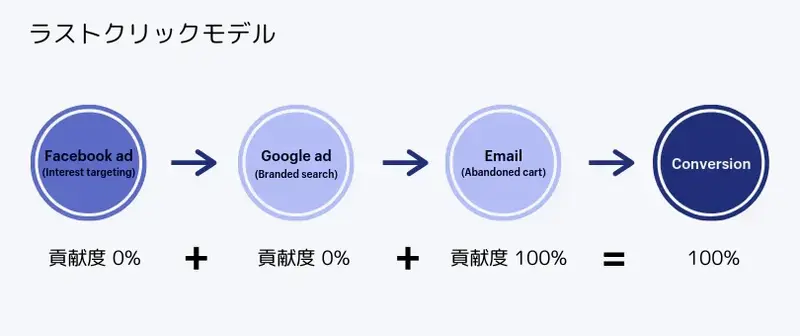
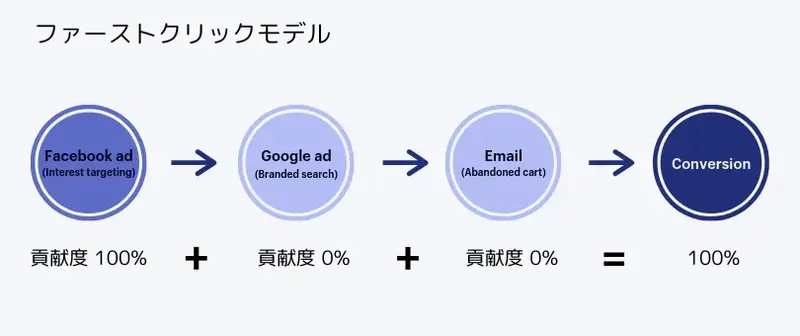
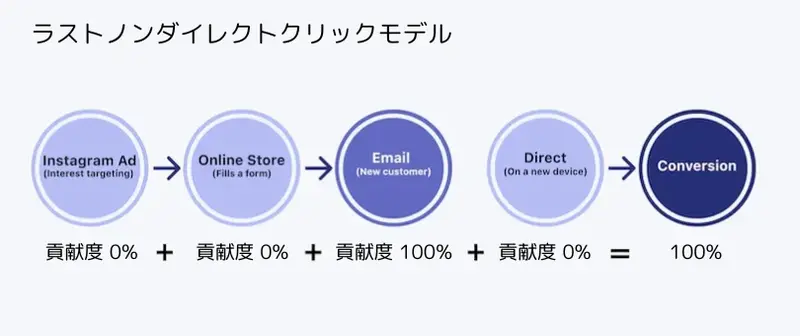
Attribution, also known as indirect effects, is a method for measuring the indirect impact that leads to a conversion. Attribution analysis quantifies the contribution of each advertisement and channel (touchpoint) a customer interacted with before making a purchase. This allows you to understand which touchpoints contributed to product or brand awareness and which influenced the purchase decision. Based on these results, advertising budgets can be allocated more effectively.
Challenges of attribution analysis
Attribution analysis is an important tool for measuring marketing effectiveness, but the following points should be kept in mind:
To utilize attribution analysis
Properly configure pixels and conversion tracking: By properly configuring Meta pixels, Google Ads conversion tracking, and Google Analytics goals and events, you can collect more accurate data and use it as a guide for decision-making.
About UTM parameters
By setting UTM parameters, you can analyze the effectiveness of your marketing efforts in detail and understand which ads and campaigns are most effective. You can set multiple UTM parameters by adding a "?" to the end of the URL and separating subsequent parameters with "&". When setting them, it is important to prioritize consistency and clarity, and to use names that are easy to understand even when you look at them later. There are five standard types that you can use to classify, organize, and analyze traffic.


