跨境独立站开店
A Guide to Optimal Logo Sizes for E-commerce
A company logo is an effective way to promote your company in various ways. Here, we'll discuss the benefits of having a logo that can be used for a wide range of purposes.
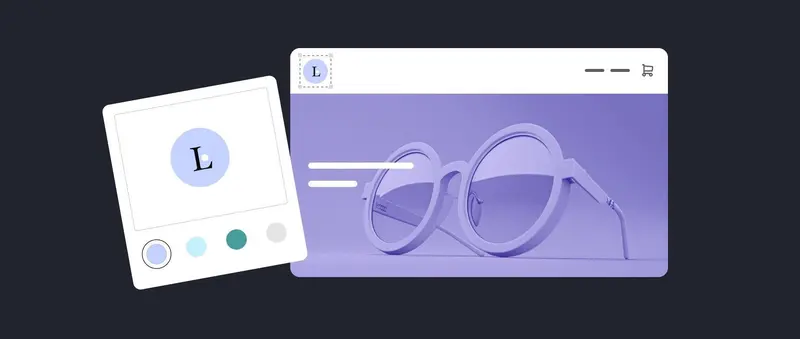
A company logo is an effective way to promote your company in various ways. Here, we'll discuss the benefits of having a logo that can be used for a wide range of purposes.
As the saying goes, "God is in the details," and sometimes meticulous attention to detail can yield significant results. When running a business, you sometimes encounter questions you've never considered before. One such question is what is the optimal logo size for a brand.
Unless you're a professional graphic designer, determining the appropriate dimensions for a logo can seem difficult. However, paying attention to these details is crucial, as a logo is the face of your business and symbolizes your brand identity. Here, we'll explain how to choose the optimal dimensions and file format for your logo.
How to measure logo size
Logo size, or the dimensions of a logo, is typically measured in pixels. A logo is a symbol of a brand and appears in far more places than you might imagine. Its uses are diverse, including website headers, social media accounts, profile pictures, marketing materials, and LinkedIn profile images. Whether on a billboard or placed in the corner of an email, a logo needs to look sharp and professional in every situation. Otherwise, it can appear inconsistent and sloppy.
Create professional-quality logos in no time.
Shopify's logo maker is a tool designed for busy entrepreneurs. Even without design experience, you can create high-resolution logos from scratch.
The Complete Guide to Logo Sizes and Formats
- website
- social media
- Merchandise and printed materials
Whether you design your logo yourself or use a free logo maker, it's wise to have multiple logo files in various sizes. What works on one platform may not work the same way on another. There is no single standard logo size that fits all media. Use the following guide to ensure your brand logo looks great everywhere.
On a website, the brand logo is placed in a prominent location, typically the upper left corner near the navigation bar. Because of this crucial position, the logo in the website header needs to be instantly recognizable and sharp. PNG files use lossless compression, ensuring high logo quality even when reduced in size.
PNG logos come in various sizes, but the recommended website logo sizes are as follows:
- Vertical design: 160 x 160 pixels
- Horizontal design: 250 x 150 pixels
- Horizontal design: 350 x 75 pixels
- Horizontal design: 400 x 100 pixels
The logo is also used as the favicon (short for "favorite icon") that appears in the browser tab of the website. Having your company logo displayed among multiple tabs allows desktop users to quickly identify the website. The recommended favicon size is as follows:
- 16 x 16 pixels
- 32 x 32 pixels
- 48 x 48 pixels
Including a logo in your email signature can give it a more sophisticated look. This logo file should be small enough to fit near your name and contact information. You can also make the background transparent for a more polished appearance. The logo used in your signature can be your main logo, or a simplified version like a wordmark or favicon.
Email signature:
- File format: PNG
- Size: 320 x 100 pixels
Social media platforms are essential tools for connecting with target audiences and reaching new markets. Using the right logo size can lead to increased brand awareness.
On Instagram, businesses typically use their logo as their profile picture. Since all uploaded files are converted to JPG, it's ideal to prepare them as JPGs from the start to maintain quality.
The recommended size for Instagram's circular profile picture is 110 x 110 pixels. Because of its small size, using a favicon is ideal.
- File format: JPG
- Profile picture: 110 x 110 pixels
Brands with a Facebook Business Page can display a square logo as their profile picture or a rectangular cover photo. Facebook profile pictures are larger than those on Instagram.
- File format: PNG
- Profile picture: 180 x 180 pixels
- Cover photo: 820 x 312 pixels
Similar to Facebook, LinkedIn also offers two areas where you can display your brand logo: your profile picture and your cover photo.
- File formats: PNG and JPG
- Profile picture: 400 x 400 pixels
- Cover photo: 1128 x 191 pixels
Original merchandise and printed materials
Original merchandise needs to be compatible with a wide range of sizes, requiring files that can be scaled without compromising resolution. This is where vector files come in handy. Unlike pixel-based PNGs and JPGs, vector files are composed of dots and lines. Because they are designed using mathematical formulas, they can be resized infinitely without losing quality. Therefore, highly versatile vector files are an essential item.
- File format: SVG
How to choose the optimal logo size
Determining the optimal dimensions for a logo requires considering its shape, layout, and platform. Symmetrical logos and abstract designs will require different dimensions. Similarly, vertical and horizontal layouts will have different requirements.
These elements also determine the aspect ratio (the ratio of the image's width to its height). Setting the aspect ratio correctly ensures the logo looks its best no matter where it's displayed.
Examples of aspect ratios:
- Square layout: 1:1
- Horizontal layout: 16:9
- Vertical layout: 9:16
Since logos appear across various media, it's ideal to have multiple logo files with different aspect ratios. This way, you're ready to place your logo on everything from t-shirts to digital advertisements. A 1:1 aspect ratio is best suited for browser tab favicons and social media profile pictures, while 16:9 is generally preferred for website headers.
Note: Avoid creating logo files that are too small. Enlarging them later to fit a larger space may result in low-resolution images. It's easier to compress a large image than to enlarge a small one.
Frequently Asked Questions about Logo Size
What is the ideal size for a logo?
To ensure your webpage loads quickly and seamlessly, it's recommended to keep your logo file size under 200 kilobytes. Also, check how it looks on both desktop and mobile devices to ensure it displays correctly on both.
What are the ideal proportions for a logo?
For website logos, a width of 250-400 pixels is a safe choice. For vertical website headers, 160 x 160 pixels is a good guideline.
Which is better for a logo, PNG or JPG?
Both JPG and PNG are pixel-based, but JPG generally has a smaller file size. The PNG format can maintain higher quality, especially when a transparent background is required. Remember to also have vector files available for large-scale printing or merchandise production.
Share this article
- Share on Facebook
- Share on X
- Share on LinkedIn