 跨境独立站开店
Even online stores need to be Instagram-worthy!? Let's link your store with Instagram!
Speaking of which, do you know who won the 2017 Buzzword of the Year Award? The winners were... "Instagrammable" and "忖度" (sonkyo - showing deference/consideration)! Today, in deference to the hugely popular word "Instagrammable," I'd like to introduce some popular Instagram apps available on the Shopify App Store. Link your store with your Instagram account to post beautiful images and great product photos on your store. Attract more customers to your store.

Speaking of which, do you know who won the 2017 Buzzword of the Year Award? The winners were... "Instagrammable" and "忖度" (sonkyo - showing deference/consideration)! Today, in deference to the hugely popular word "Instagrammable," I'd like to introduce some popular Instagram apps available on the Shopify App Store. Link your store with your Instagram account to post beautiful images and great product photos on your store. Attract more customers to your store.
This might come as a surprise, but do you know who won the Grand Prize at the 2017 Buzzword of the Year Awards?
The winners of the year's grand prizes were... "Instagrammable" and "忖度" (sonkyo - showing deference/consideration)!
Today, in keeping with the hugely popular term "Instagrammable," I'll introduce some popular Instagram apps available on the Shopify App Store.
Link your store with your Instagram account to display beautiful images and stunning product photos on your store. Attract more customers to your store.
Don't worry if you don't have an account yet. It's not too late to start now. Instagram can be a very powerful tool if used effectively!
Now, let's take a look at the app.
Instafeed
First, let me introduce Instafeed.
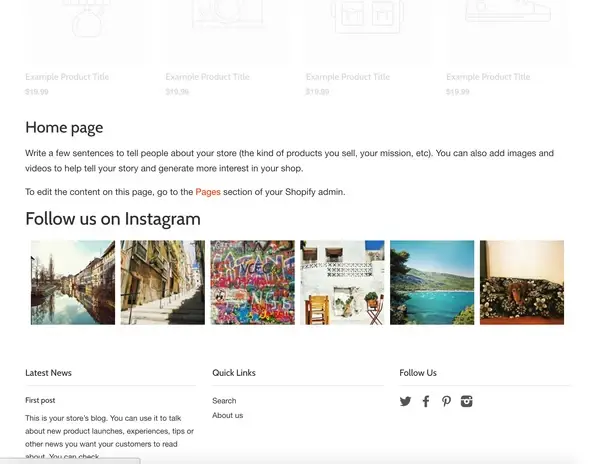
You can display your Instagram account's timeline in your store.
It has very simple functions, is easy to set up, and can be introduced to the store immediately.
This app is recommended for those who want to display only Instagram images in their app store.
Please check this video for instructions on how to set it up!
Install here
Instagram Feed - Stunning Social Gallery
For those who want to display even more Instagram information in their store, here's a recommended app.
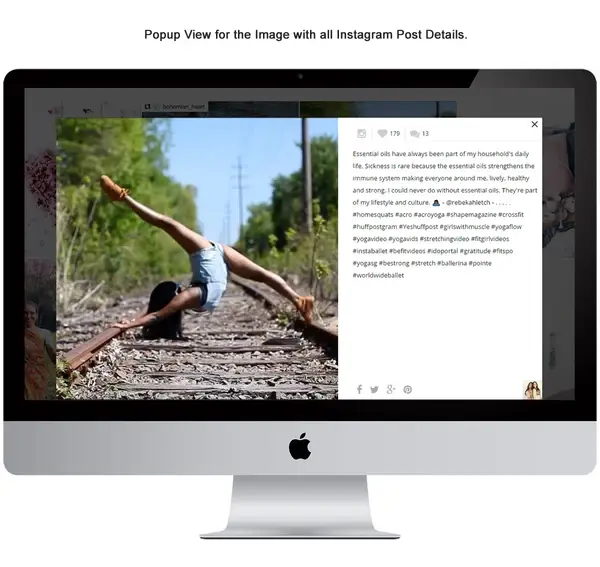
This app can display Instagram likes and even the content of posts.
It's very easy to set up and is one of the most popular apps!
Instagram shop by Snappt
The next app I'd like to introduce is,
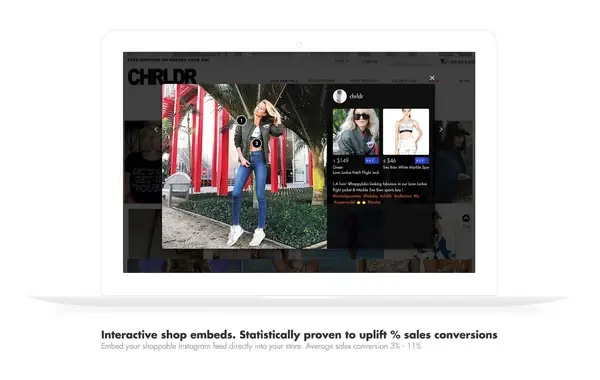
This app allows customers to shop directly from images on the store's Instagram page.
You can directly embed links into images on your store's Instagram, and when customers click on a product in the image, they'll see the product details and be able to purchase it right away!
This app is a must-have for business owners looking to boost sales using Instagram!
Let's boost sales by using Instagram.
Instagram continues to grow in popularity in Japan and is doing exceptionally well. Let's link your store with Instagram to create a flow of customers from your store to Instagram and from Instagram to your store!
read more
- Shopify x OpenLogi integration surpasses 500 users! ~Automate e-commerce logistics and solve challenges through integration~
- [Shopify for Beginners] Essential for Cross-Border E-commerce!? Here's how to set up a multi-currency app.
- We've started a partnership with logistics outsourcing service "OpenLogi"! Automate your Shopify logistics!
- Launch your own brand using "AnyFactory"! [Easily create designs, samples, and produce goods for apparel, cosmetics, and other items in just 4 steps]
- Free SMS marketing with Messent
- Five things to keep in mind to prevent fraudulent orders on online shops
- The Japanese versions of our points app and delivery note app have finally been released on Shopify!
- Introducing the free app "Purchase Data Export .amp"
- High-quality review collection through automated distribution: A next-generation review marketing tool! [U-KOMI]
Share this article
- Share on Facebook
- Share on X
- Share on LinkedIn


