跨境独立站开店
What are Shopify customer account extensions? Here are some useful apps.
This article introduces the features of Shopify's customer account extensions and useful Shopify apps. Learn how to enhance your account functionality and provide a better shopping experience.
What is a customer account extension?
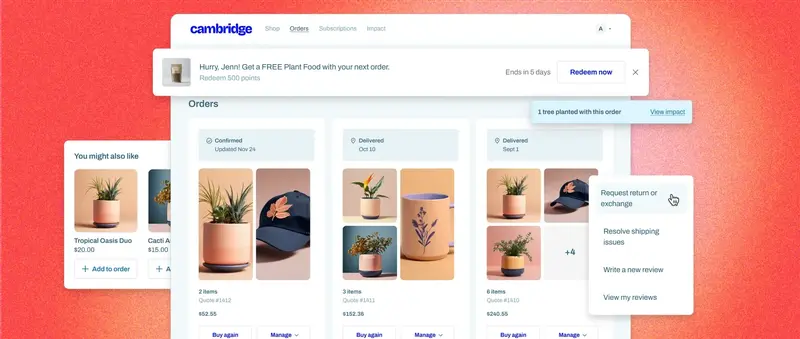
Customer account functionality allows customers to sign in to your store and manage their personal information and order history. In addition to the features provided as standard by Shopify, there are a wide variety of extensions available that store administrators can choose to add.
1. Streamline returns and order management.
By consolidating order and return management functions into a single customer account, customers can complete the entire process from the same page or portal. This eliminates the hassle of having to log in to a different management screen for returns or contact customer support and wait for a response, leading to improved customer satisfaction.
2. Gather customer reviews to enhance brand credibility.
The customer account management screen is also suitable as a place to collect reviews, testimonials, and affiliate links for product promotion from buyers. By encouraging customers to post reviews through the customer account function, which they frequently access, and by allowing them to quickly retrieve product information from their order history, you can expect to naturally increase the number of reviews.
3. Gain a deeper understanding of the customer.
By collecting surveys and detailed customer data, we can improve product recommendations and marketing strategies to better meet individual needs. This includes surveys on customer behavior and psychology, as well as consent regarding the handling of personal data and age verification information for restricted products.