 跨境独立站开店
Instagram editing apps and management tools: selections
This is a list of recommended apps for managing your Instagram account. It includes not only image and video editing tools, but also useful tools for hashtag search, analytics, and more.











Instagram photo editing tools
Even if you're not a professional photographer, you can post stunning photos to Instagram with just a smartphone and excellent image editing tools. We'll introduce some apps that can help you create creative images, so please take advantage of them.
Adobe Lightroom (iOS/Android, desktop version, web version)
Adobe Lightroom is a photo editor app that allows for professional editing with intuitive controls. It features color grading tools to adjust the color tones of shadows, highlights, and midtones in photos, a generative AI delete function to remove unwanted elements with a single touch, and quick action tools for easy creative editing. In addition, Lightroom's AI photo editing tools allow for batch editing. You can apply the same corrections to multiple photos at once, making it efficient to create consistent edits. The mobile version is free to use with basic functions, while premium features and the PC version require a paid subscription. Examples of edited photos are showcased on the official Instagram account, so be sure to check it out for inspiration.
Snapseed (iOS/Android)
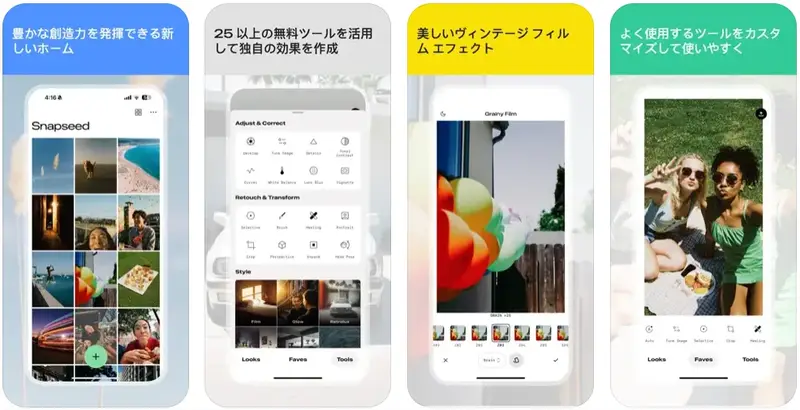
Snapseed is a full-featured photo editing app developed by Google, and its appeal lies in its ability to edit even the smallest details of photos with simple operations. It has many functions that allow you to apply processing to specific parts of a photo, such as perspective transformation, brushes, and blemish removal. It is also a great point for users that all functions are available for free and there are no ads. In 2025, the iOS version was updated for the first time in several years, and the design was refreshed, resulting in a more visually appealing and user-friendly interface.
Canva (iOS/Android, web version)
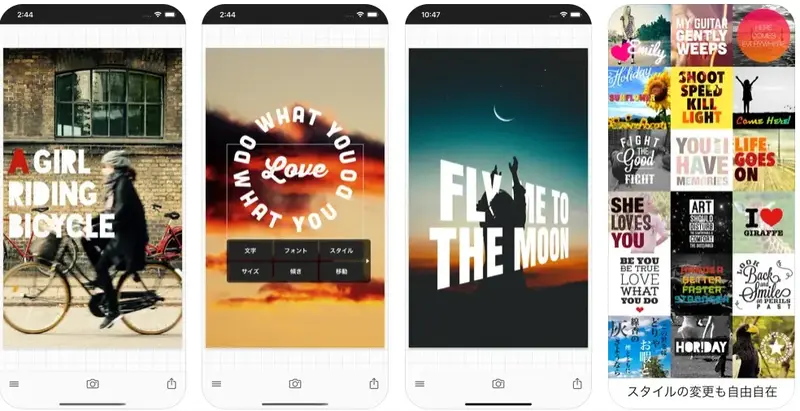
Canva is an editing tool that allows you to create highly designed images. In addition to adding text and creating layouts by combining multiple images, you can also use a wealth of materials and templates. It can also create GIFs, which is particularly effective for creating eye-catching posts for Instagram Stories. In September 2025, the conversational creative feature "Canva AI" was introduced. For example, by prompting the AI with "I'm opening a shoe store, please create a post for Instagram," images for posting can be automatically generated, streamlining your workflow. The generated images can also be manually customized.


