 跨境独立站开店
Integrating Instagram with e-commerce sites: Strategies and success stories
This article explains how to use Instagram to increase sales and traffic to your e-commerce site. Review success stories and key usage points to maximize your Instagram presence.



How to link Instagram with an e-commerce site
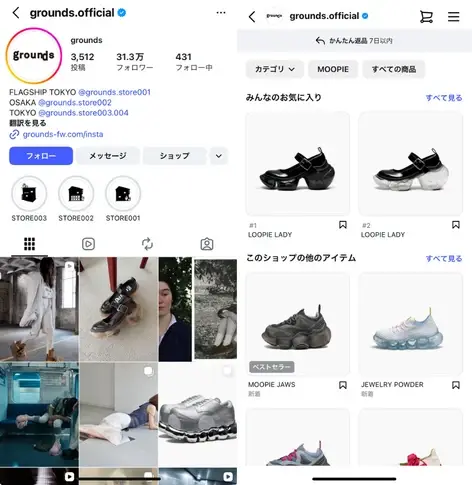
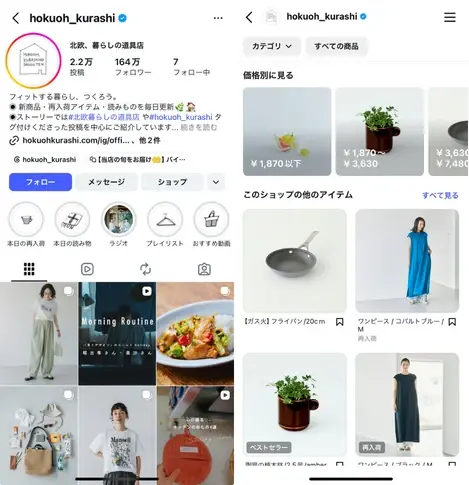
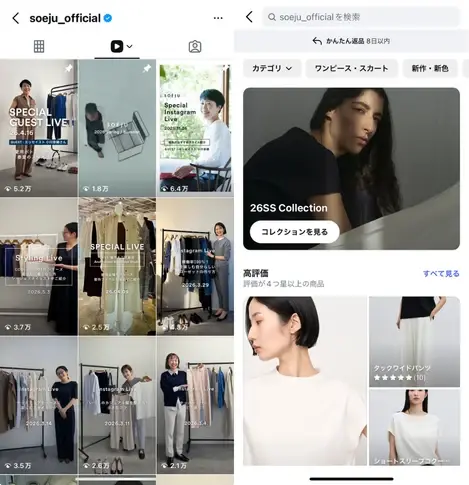
The Shop feature allows you to link your e-commerce site's product information with Instagram. Once set up, you can display a list of products and tag products in posts and Reels. This allows you to utilize your e-commerce site's product information on Instagram as well, leading to multi-channel sales where products can be discovered through multiple touchpoints.
The path to the product page is short, making it easier to make a purchase.
Instagram Shopping allows you to add product tags to your posts and Reels, which are tags that direct users to product pages. Users can tap on a tag for a product they're interested in, and it will take them to the product page in the collection, where they can also make a purchase.
Increased chances of your products being discovered
Instagram allows you to reach potential customers who are not yet familiar with your brand through feed posts, Reels, Stories, the Explore tab, and ads. In particular, Reels and the Explore tab have the potential to show posts to users who are not your followers, creating opportunities to introduce your products to people who might not otherwise be reached through your e-commerce site.
It allows you to intuitively convey the appeal of the product.
Instagram allows you to convey the texture, usage, wearing image, sizing, and unboxing scenes of products through photos and videos. By showing the atmosphere and usage scenes that are difficult to convey from the product page alone, users can get a better idea of what it will be like after purchase.


