跨境独立站开店
Easy setup! How to integrate the online payment service 'PayPal' with Shopify.
This article will explain how to integrate PayPal with Shopify, allowing individuals and businesses alike to use credit card payments at a low cost.


This article will explain how to integrate PayPal with Shopify, enabling low-cost credit card payments for a wide range of customers, from individuals to corporations.
This article will explain how to integrate PayPal with Shopify, allowing individuals and businesses alike to use credit card payments at a low cost.
Learn more about PayPal here.
To use PayPal with Shopify, you need a PayPal account. If you don't have a PayPal account yet, please register using the account registration button below. You can start receiving payments immediately after registering. (*)
Register for a free PayPal business account here.
Once your account registration is complete, please follow the steps below to link your account with Shopify. (*) Identity verification is required to withdraw received funds to your bank account, use them for payments, and continue accepting payments after 30 days from account creation.
Step 1
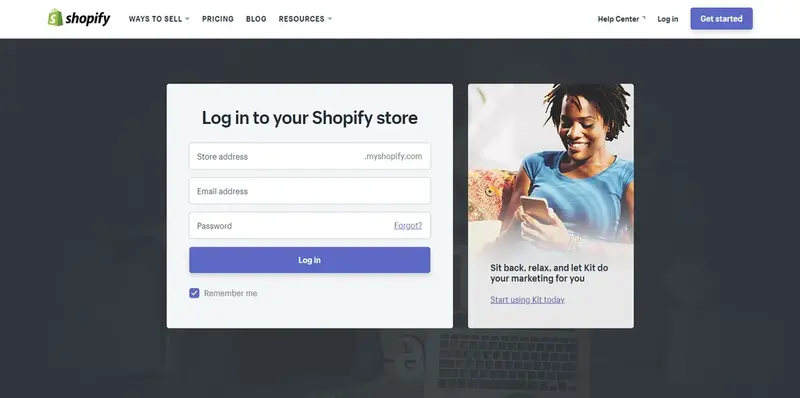
Enter your store address, email address, and password to log in to Shopify.
Step 2
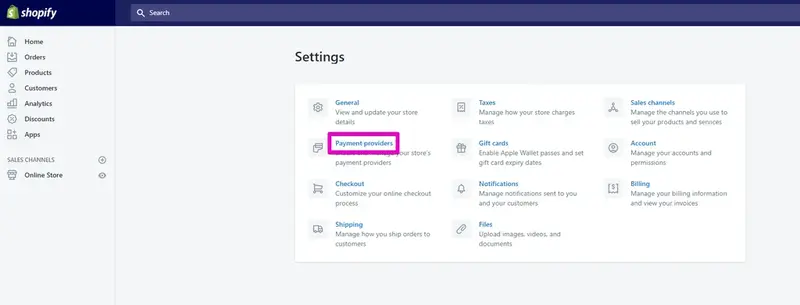
On the Home screen after logging in, click [Settings] in the lower left corner of the screen.
Step 3
Click [Payment Providers].
Step 4
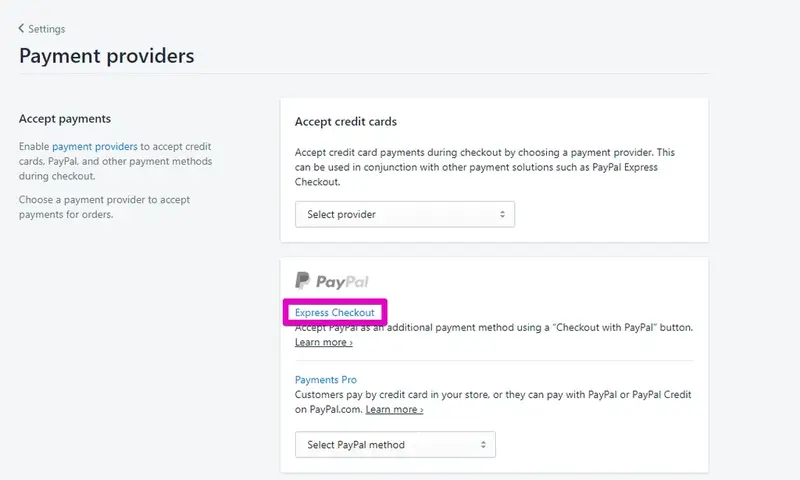
Click [Express Checkout].
Step 5
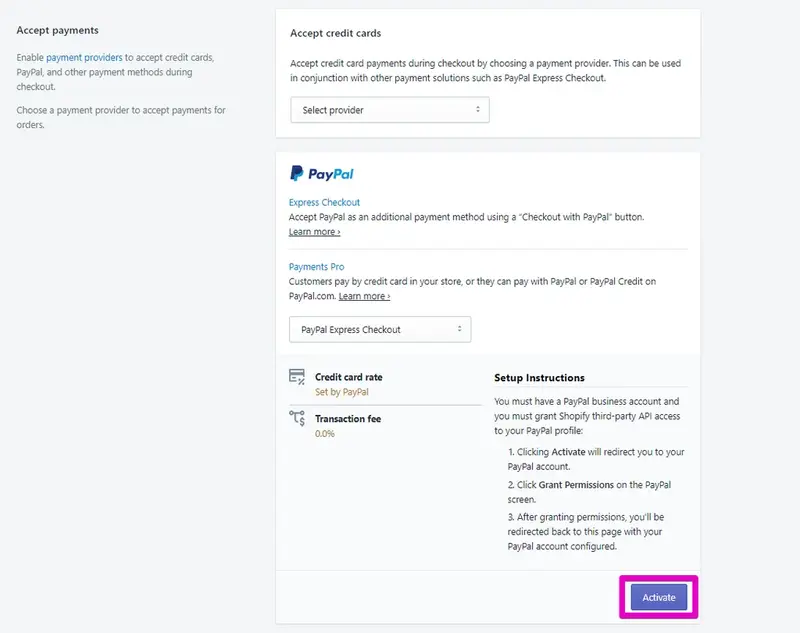
Click [Activate].
Step 6
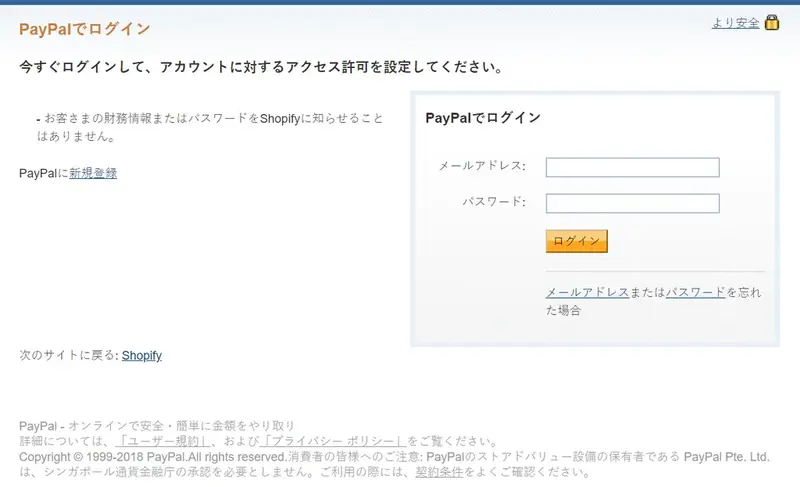
Please enter your email address and password to log in to PayPal.
Step 7
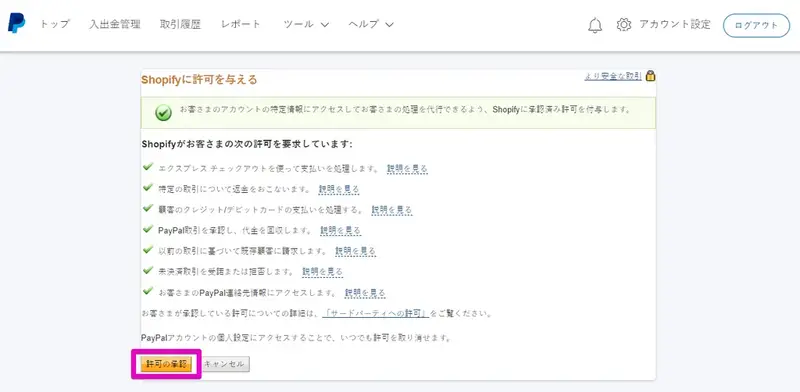
Click [Approve Permission].
Step 8
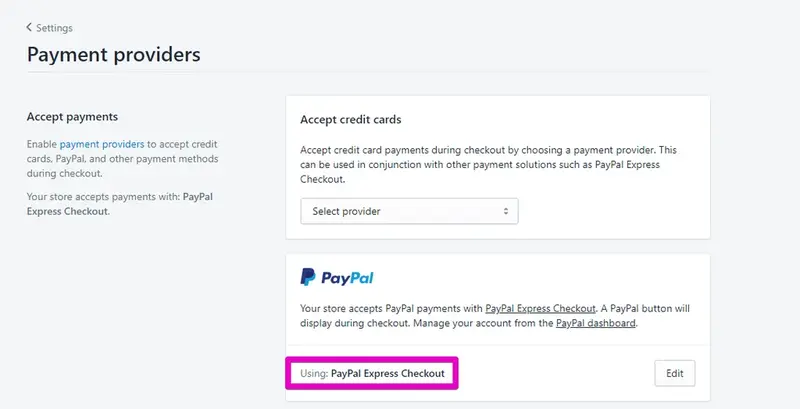
Return to your Shopify admin panel, and if it says "Using: PayPal Express Checkout," then the setup is complete!
Start using PayPal, a secure and reliable credit card payment system, by integrating it with Shopify and expanding your business in Japan and around the world!
That concludes our explanation of how to integrate PayPal and Shopify.
----------------------------------------------
Click here for the official PayPal website.
Click here to implement the online payment service 'PayPal'.
read more
- [Complete Guide to E-commerce] Shopify is recommended if you want to sell overseas.
- [Latest Feature] Easy implementation with Shopify! Introducing "Mobile Carrier Payments" to boost your online store sales.
- Use the Shopify mobile app!
- Customize your Shopify store even further! 11 apps you can use right away.
- 10 Important Things to Do After Signing Up with Shopify
- This guide explains how to link Shopify with Instagram!
- You can now pay for your Shopify subscriptions with PayPal.
- Paidy's next-month payment service eliminates the hassle often associated with payments! [Until July 31st!] New user campaign underway!
- Shopify and SB Payments have finally begun their partnership! [Until August 31st!] New user campaign underway!
FAQ
What is PayPal?
Can PayPal and Shopify be integrated?
What is needed to integrate PayPal and Shopify?
How much are PayPal's fees?
What is PayPal's seller protection program?
Share this article
- Share on Facebook
- Share on X
- Share on LinkedIn