跨境独立站开店
This guide explains how to design a Shopify website in steps.
This guide provides a beginner-friendly explanation of how to design a Shopify website. With Shopify's high level of customization, once you get the hang of it, you can create a professional-looking online store.




This guide explains how to design a Shopify website step by step.
While there are many stylish websites built with Shopify, not all of them are professionally designed. By learning how to design a Shopify website, you can create a cost-effective design that enhances your brand, or design an e-commerce site with the necessary functionality.
This article outlines how to design a Shopify website in six steps. It will be helpful for anyone planning to create a website with Shopify or who wants to customize the design of their existing Shopify website.
How to design a website using Googleify
- Create a brand style guide
- Select the optimal theme
- Customize the theme
- Customize the product page
- Customize store details
- Check performance
1. Create a brand style guide.
When designing a website, the first step is to create a brand style guide. A style guide is a set of guidelines that outlines your brand identity, including logos, fonts, and colors.
Creating a brand style guide makes it easier to make decisions at every stage of website design.
The following are some items that should be included in the style guide:
Color is extremely important in website design. It's essential to understand the psychological effects of colors and the impressions they create on consumers, and to use colors effectively that align with the brand and site's objectives.
For example, green is often used by environmentally conscious companies and ecology-related businesses because it evokes images of nature. Also, when presented with green and red buttons side-by-side, users tend to click the green button. This is because green is associated with the action of "moving forward," while red typically symbolizes "stopping."
Understanding the effects of these colors is crucial when deciding on the core color of your brand.
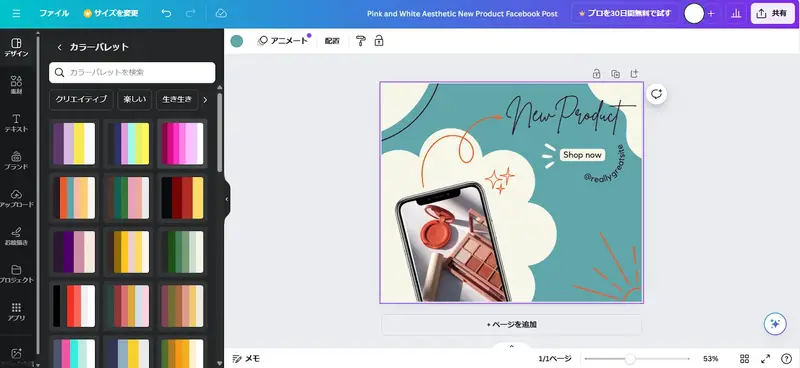
When deciding on a color scheme, it's important to limit yourself to a few colors rather than using too many. If you find it difficult to come up with a color scheme yourself, you can try using a color palette from Canva to see if it suits the image of your website. It will suggest color schemes based on keywords in the editing screen.
Using the same typeface or font throughout your website creates a cohesive overall impression. While it's fine to use several different fonts on the same site, it's generally easier to read if you use the same font in the same place—for example, using Gothic for product names and rounded Gothic for product descriptions.
It's recommended to use a simple, easy-to-read font for the main text, and headlines that are impactful or align with the brand image.
For beginners in website design, it's better to stick to two or three fonts rather than using a variety of them, and maintain consistency across all pages to create a high-quality design.
Shopify offers a large selection of free fonts, so choosing from those would be a good option.
A logo is a crucial element that succinctly conveys the brand's worldview. You can create one using the free Shopify logo maker or outsource the design. Let's create an impressive logo that captures the essence of your brand.
Whether you're designing a logo from scratch yourself or outsourcing the process, narrowing down the types of logos you want will help you create a logo that more closely matches your brand image.
2. Select the optimal theme.
When choosing a theme, consider the following points:
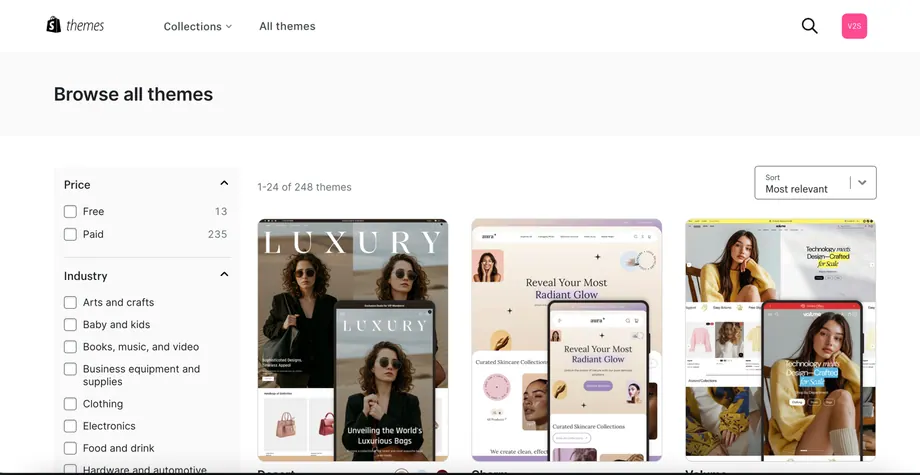
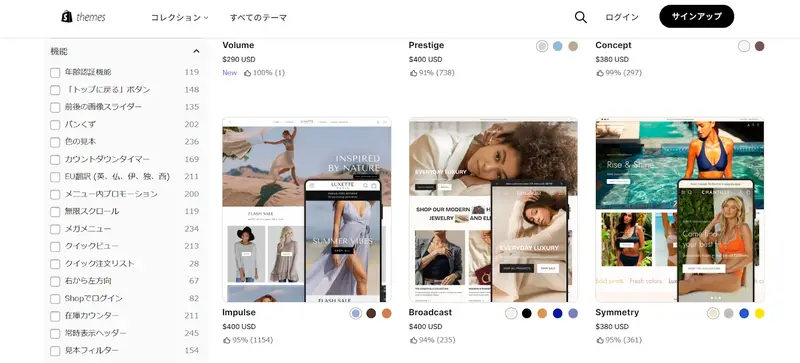
Shopify themes range widely in price, from free to $500, so choose one that fits your budget. Even on a low budget, it's recommended to consider both free and paid themes. Paid themes offer greater customization options, which can potentially save you time and money compared to hiring a professional to customize them later.
If you need specific features such as video insertion or fixed navigation, it's best to choose a theme that already includes those features. The Shopify Theme Store search bar allows you to filter themes by features.
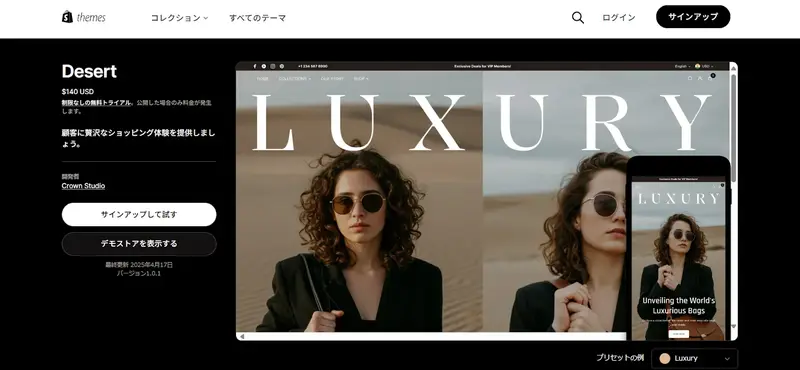
If your target customers often find your products on Instagram or TikTok, and you anticipate that your website will be viewed primarily on smartphones, choose a theme that is mobile-optimized.
Slow loading speeds on mobile devices not only increase the likelihood of users leaving your website, but mobile-optimized sites also have an advantage in SEO. Therefore, when choosing a theme, be sure to check the mobile version in the demo store.
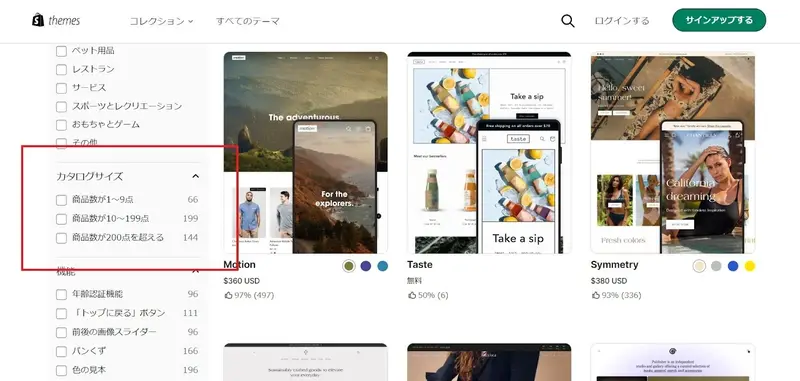
Some themes are better suited for a small number of products, while others are better suited for a large number of products. Therefore, when searching in the Shopify theme store, be sure to specify your search criteria under "Catalog Size."
Furthermore, some themes are designed to meet the specific needs of particular industries or businesses. They include features required for each industry and are tailored to specific design trends, making it easy to design a website that is appropriate for that industry.
3. Customize the theme
Next, customize the theme you've chosen. While it will look good as is, design it to convey your brand's worldview and make it user-friendly.
In the Shopify admin panel, go to [Online Store] > [Themes] and click [Customize] next to the theme you want to customize. Adjust the basic design and layout, such as colors and fonts, according to the style guide you created in Step 1. You can also add a logo from the theme settings icon on the [Customize] screen.
Implement a clear and user-friendly menu so that customers can easily find the information and products they need. It's important that the menu is concise and that links to key categories and pages are clearly positioned. Place a call to action (CTA) button in a prominent location that is visible without scrolling, so that visitors to your website know exactly what to do next.
Nakamura Tokichi Honten, a specialty tea shop, has placed its menu at the top of its homepage. By using clear and easy-to-understand Japanese names for the menu items, customers can easily find the page they want to visit.
The checkout page also plays a crucial role in the customer experience. Pages that convey a thank-you message for the purchase should also be customized to align with your brand style guide. You can add a logo and change colors and fonts by going to Settings > Checkout > Customize in your Shopify admin panel.
On e-commerce sites, photographs are a crucial design element. Brand concepts and messages can be conveyed through image photos and product pictures.
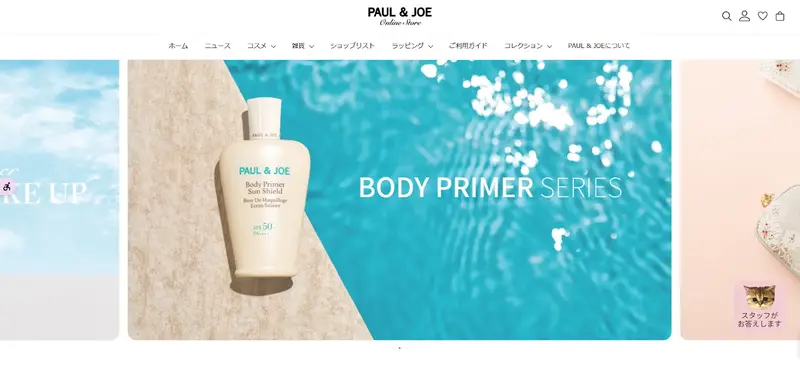
The hero image on the homepage, the first thing visitors see, makes a strong impression and plays a crucial role in conveying the brand's message. It's best to combine a striking, high-quality image with memorable copy and a compelling call to action (CTA).
For example, the cosmetics brand Paul & Joe features striking photographs along with catchy slogans on its homepage.
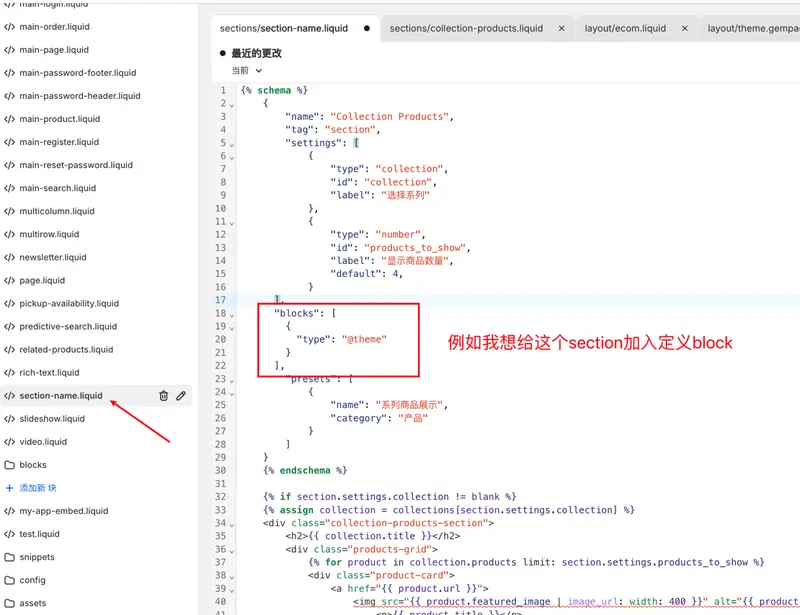
Shopify websites are characterized by their ease of design even without specialized knowledge, but if you have knowledge of HTML and CSS, you can perform more advanced customization using Shopify Liquid, a template language. To customize a theme, go to "Online Store" > "Themes" in the Shopify admin panel, then go to "Actions" > "Edit Code" to edit the code.
4. Customize the product page
Similar to the theme, the product page will maintain the brand's worldview while being easy for users to understand and designed to encourage purchases. From a design perspective, consider setting the following items:
- Product Name: Check the layout of the product page and try to keep the product name as short as possible so that it doesn't break across lines.
- Product Description: Describe the features, materials, and usage. Use a tone that matches the brand's personality, whether it's polite and formal, casual and lively, or soft and poetic.
- Product Images: Take product photos that clearly show the details. When doing so, make sure to maintain consistency by using the same color background and lighting for all products. This will create a sense of unity on the product list screen and improve the overall design quality of the website.
- Buy Button: Follow the brand style guide to customize the buy button's color, font, size, and other details.
5. Customize store details
The Shopify app store has over 8,000 apps, including apps for customizing website design, such as changing the design and layout, and creating landing pages.
Use apps like these to design content pages, gallery pages, and more.
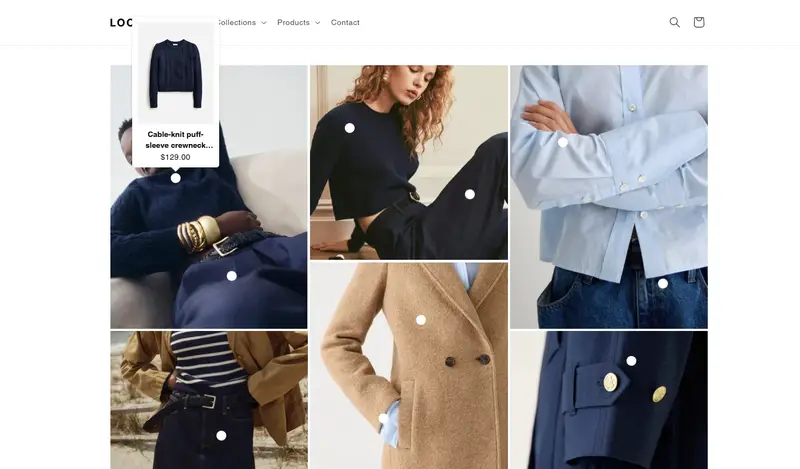
For example, if you're creating a page to showcase a collection of new products, instead of simply listing the products, you can make it more eye-catching by grouping them by a specific theme, such as color, or by displaying images of various sizes.
This kind of curation not only improves the overall design quality of the website, but also conveys that the store is paying attention to each and every product, leading to increased customer trust in the store.
6. Check performance
Even the most beautifully designed website is useless if it doesn't load correctly. If your site is loading slowly, you should improve its speed.
Balance is key when designing a Shopify website. For example, videos are great for telling your brand story, but their large file sizes can slow down loading times. Consider optimizing image sizes and using video editing software to reduce file sizes.
Additionally, features added to your Shopify site, as well as third-party code for connecting to other platforms, can also slow down your site. It's important to understand what's degrading performance and carefully consider how critical it is to your site before deciding whether to include or exclude it.
When is the right time to outsource the design of your Shopify website?
The best time to outsource to a professional, such as a web design company, is after you've designed your website yourself. While you can hire a professional from the start, this requires numerous meetings and communication to convey your wishes and vision, and you'll have to request their services every time you want to make changes or adjustments after the website is launched, potentially reducing customizability and efficiency.
Creating the base website yourself allows you to allocate that budget to other projects. Alternatively, outsourcing the development after the website has been running for a while allows you to customize it to meet the customer needs and operational challenges you've identified.
When choosing a web design company or other professional, key points to consider include their track record in Shopify website development, their understanding of your project requirements, and their post-launch support. It's a good idea to compare multiple companies by checking their websites and making inquiries. Choosing from a Shopify partner is also recommended.
Designing a Shopify website might seem difficult at first glance, but the wide variety of themes and apps available gives you a high degree of design freedom, making it easy to customize even for those without coding knowledge or beginners.
By following the six steps outlined, you can create a brand style guide and then design your Ahopify website based on it, resulting in a high-quality product without needing to hire a designer.
If you're looking to start a business using Shopify or want to grow your business by redesigning your website, please use this article as a reference to create a website that reflects your brand's worldview and the appeal of your products.
FAQ
Do I need coding or programming knowledge to design a Shopify website?
You don't need any coding or programming knowledge to design a Shopify website. You can intuitively design your store using a variety of templates and apps.
How long does it take to build a Shopify website?
For a test site, you can build a website in about 25 minutes using a Shopify theme. If you only need to customize the theme and add products and content, it can be built in about 1-2 weeks.
How much does it cost to hire a web development company to build a website?
The cost of hiring a web design company to build a website is around 500,000 to 1,000,000 yen for a simple site. If you want to customize the functions and design and build an original site, it will cost several million yen.
What industries use Shopify for their websites?
Shopify is used to build websites in a wide range of industries, including general merchandise, apparel, and food and beverage. The Shopify store examples showcase websites from various domestic and international companies across different industries, so you can find inspiration by browsing websites in your own industry.
Share this article
- Share on Facebook
- Share on X
- Share on LinkedIn