 跨境独立站开店
How can you understand and connect with your audience through customer segmentation?
Leverage new customer segments and increase revenue through personalization.
Leverage new customer segments and increase revenue through personalization.
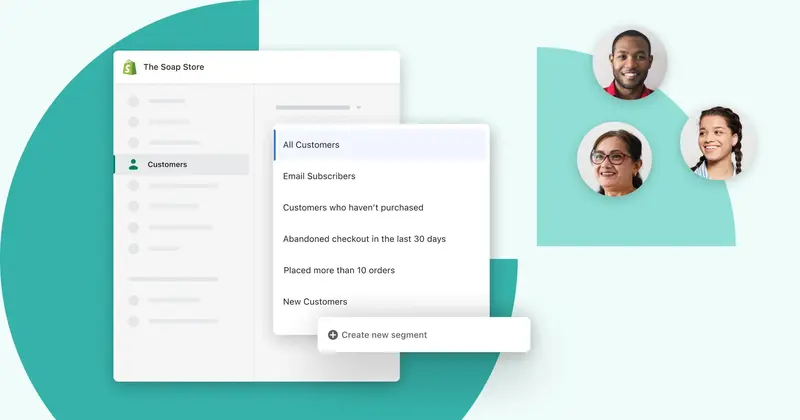
Not all customers behave the same way. So why send them the same offers, promotions, and messages? Customer segmentation allows you to group customers based on their unique behaviors and characteristics, such as their spending, order volume, and geographical location.
This entire process is completed within the Shopify platform, allowing you to personalize messages and generate additional revenue. The customer segment editor is located within the Customers section of your Shopify admin panel.
What is a customer segment?
Let's say you're an apparel brand and you want to sell a new line of hats, especially warm winter hats, to your customers. Instead of marketing these hats to customers living in warm climates, you create a segment of customers living in colder climates.
This allows you to communicate the value of your hats with personalized messages. By precisely targeting your audience, you can deliver relevant information to the right customers at the right time, leading to increased revenue.
Once customer segments are created and saved, the following benefits are available:
- Segments are updated automatically. Customers are added to a segment whenever they meet the criteria for that segment. Conversely, customers are automatically removed from a segment when they no longer meet the criteria. This eliminates the need for manual updates, saving you time.
- Valuable statistics about your segments will be obtained. This includes the number of current customers who belong to that segment and the percentage of those customers. This information will help you better understand your business and the promotions you want to implement.
- Marketing results will improve. Having a clear target audience allows you to reach the right people at the right time, leading to stronger results.
Segment your customers with an intelligent query language for commercial transactions.
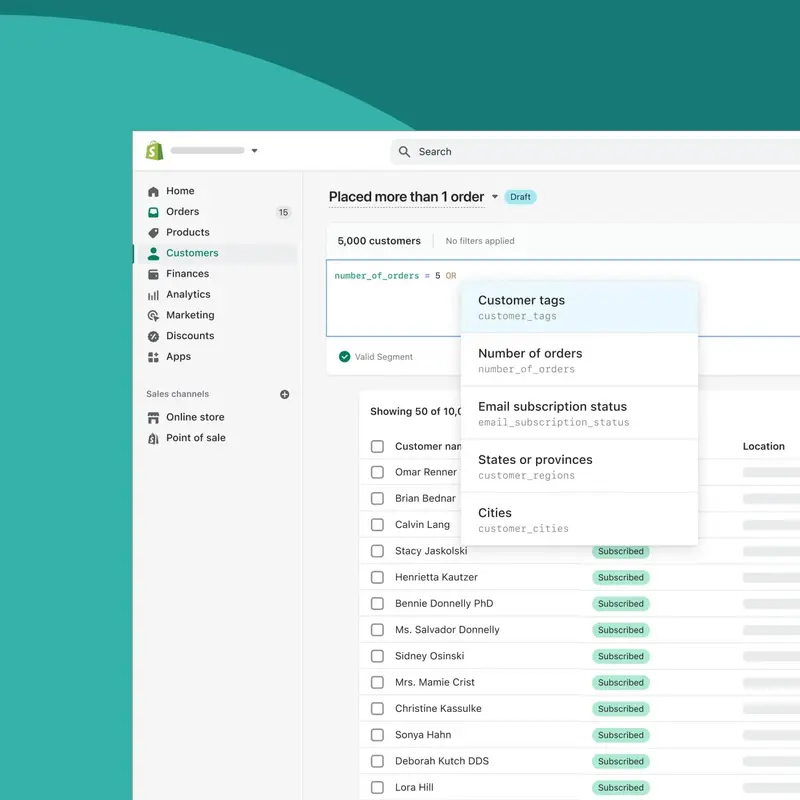
Customer segments make it easy to build customer segments using your own customer data without leaving the Shopify platform. This segment editor is powered by ShopifyQL, a new query language built with commerce in mind.
By building customer segments using ShopifyQL, you can easily translate insights into action. This flexibility provides a tool to increase revenue and run your business more efficiently.
For example, if you create a segment of VIP customers, you might consider rewarding their loyalty by expressing your appreciation for their business and offering them access to special pre-sales.
Saved searches have been transformed into customer segments.
With the introduction of customer segments, saved searches that were previously located in the customer section of the admin panel have been automatically moved to the customer segments.
Furthermore, segments created in the Shopify Customers section will now also appear in the Discounts section of the Shopify admin panel, allowing you to apply discounts to those segments.
This makes it easier to apply a bulk discount to a specific customer group while providing a personalized experience.
Say goodbye to generic messaging and send personalized messages that drive revenue and make your business stand out from the competition. Start building customer segments in minutes and get ready to take your business to the next level.
Learn more about customer segments
Share this article
- Share on Facebook
- Share on X
- Share on LinkedIn


