跨境独立站开店
Shopify Product Category Settings: How to Choose Between Manual Selection and Automatic Categorization
Product categories determine both the navigation entry point and whether buyers can compare similar products. New arrivals, permanent categories, and seasonal themes require different maintenance methods.
Determine the maintenance method
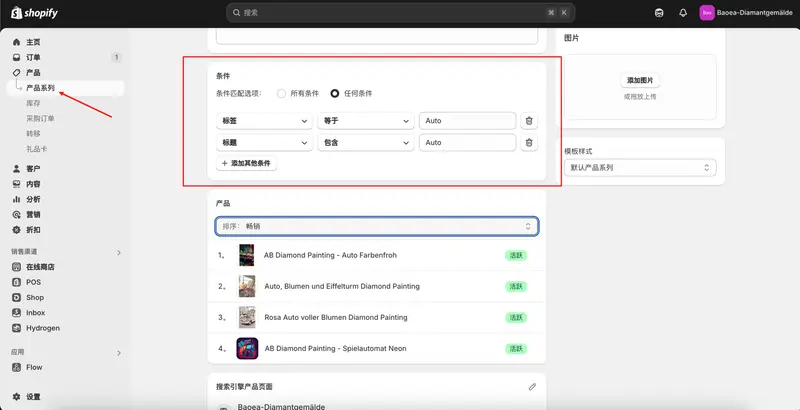
Topics with few products and sorting dependent on editorial judgment can be maintained manually. Automatic series are easier to keep updated when product categories are continuously stocked and tags are consistent. First, confirm that tags, prices, or other conditions consistently represent the range of products selected.
Use border commodity verification rules
Prepare one product that should be included in the series and one product that shouldn't, then check the effect of combining multiple conditions. Conditions such as color and size should be verified in the actual store to avoid incorrect inclusion due to inconsistent specification attributes.
Complete navigation and search information
The series page title should clearly state the purchase intention, and the brief introduction should explain who it is suitable for and how to choose. After adding the series to the navigation, actually access the page on a mobile phone to check how the product sorting, cover image, and empty series are displayed.