跨境独立站开店
Guides
Shopify Theme Section Development Complete Guide
Develop a Shopify Section from scratch that can be reused in the Theme Editor. This covers Section file structure, schema field types, settings/presets/blocks configuration, Liquid rendering logic, styles, and best practices, including complete, reproducible sample code.
Check Shopify registration offers in your regionSee current offer
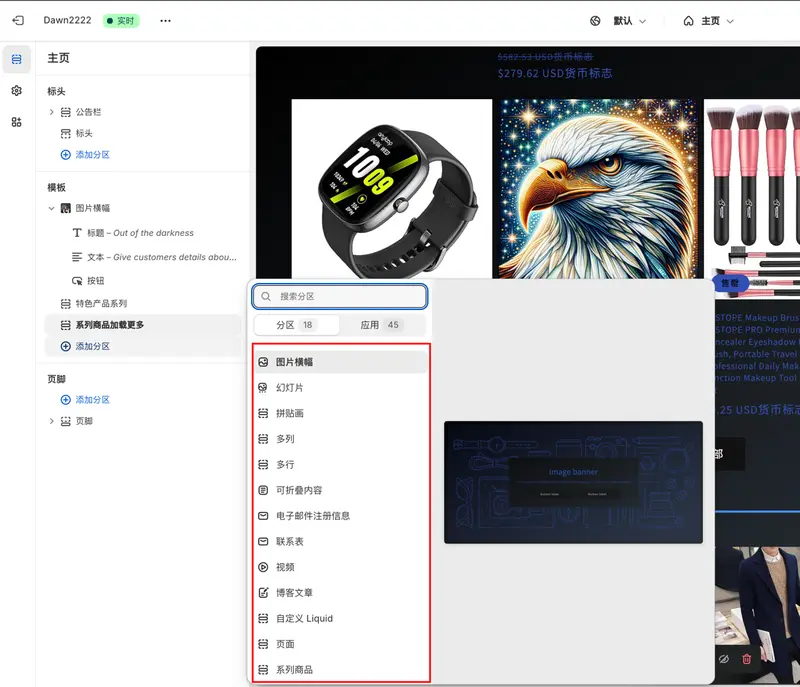
Section vs Block vs Snippet: First, understand the differences.
The order of evaluation is as follows: Requires operational configuration → Section; Duplicate elements within a Section → Block; Pure code utility functions → Snippet.
Step 1: Create a custom Section file
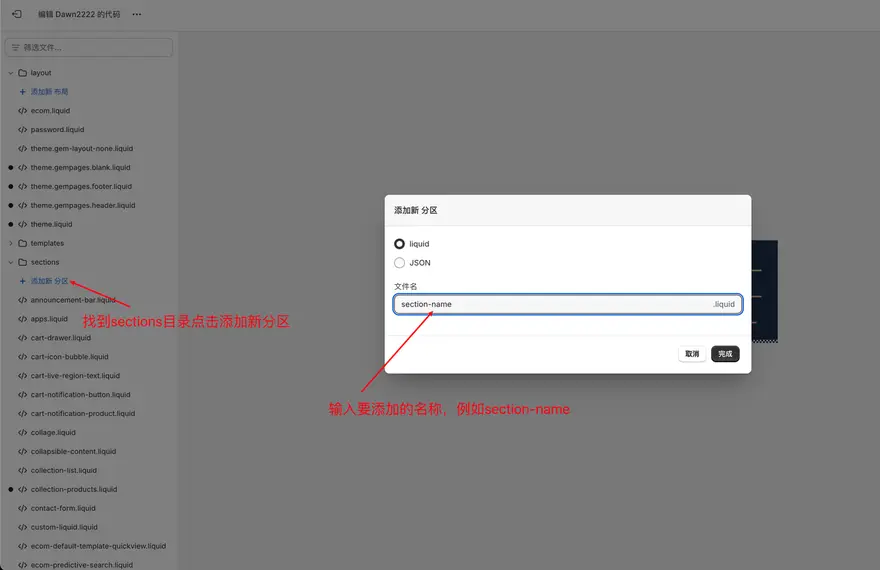
Create a new file in the sections folder under your Shopify theme directory, for example, section-name.liquid.
Add Liquid code
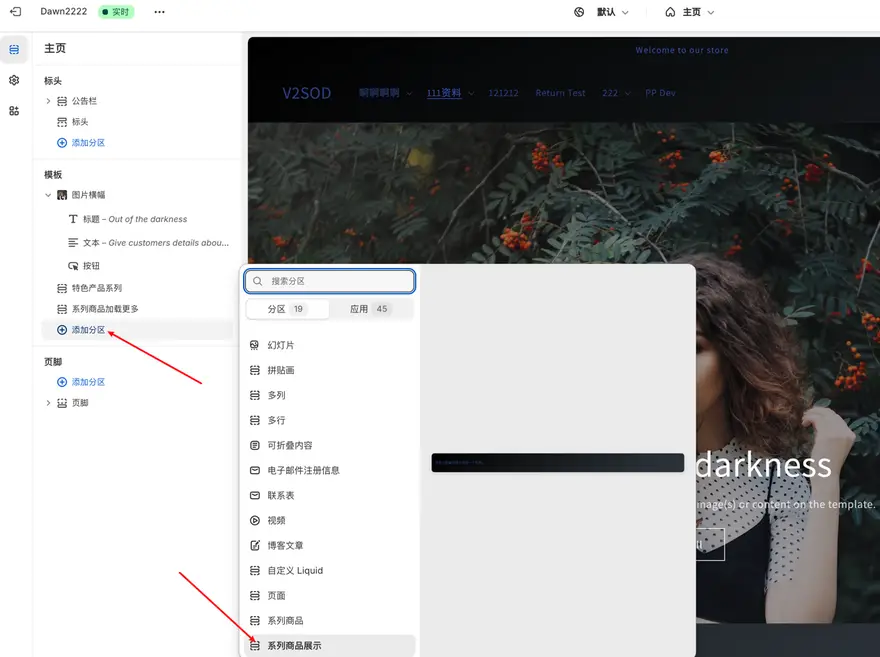
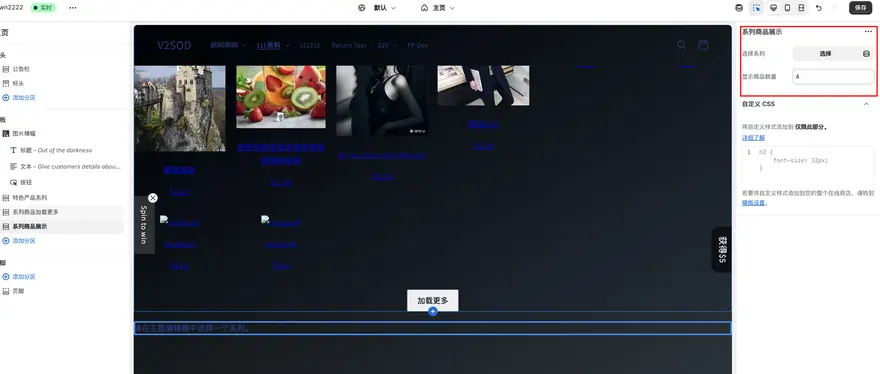
For example: Let's add a Collection section to display products, named "Series Product Display".
Add styles (optional)
You can add custom styles in the CSS files within the assets folder, such as base.css or theme.css: